Renovate AI
AI-powered tool for instant home renovation visualization.
Screenshots
Overview
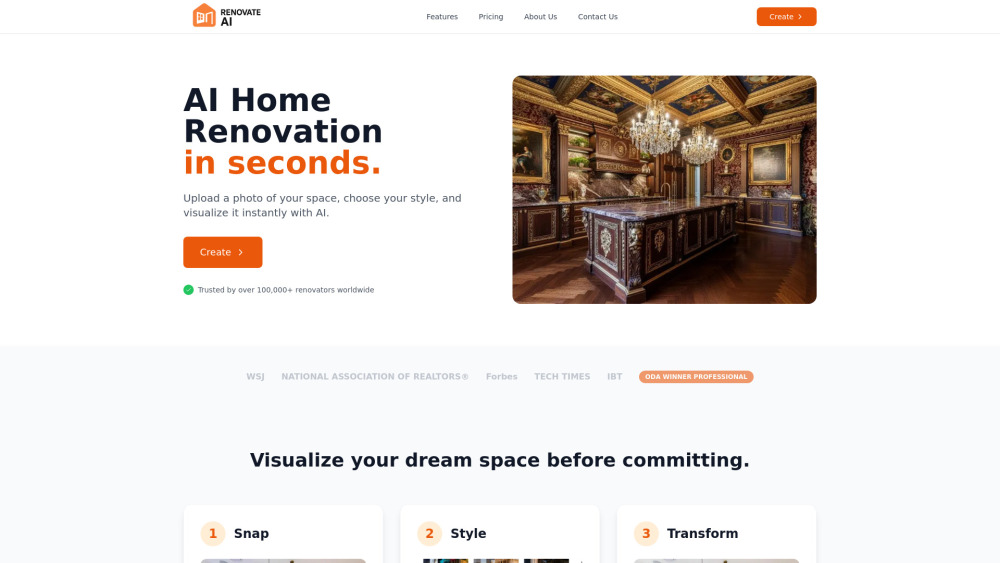
Renovate AI is an AI-powered design tool that enables users to transform their spaces by uploading a photo and instantly visualizing renovations. It offers a comprehensive suite of AI tools for both interior and exterior design, including virtual staging, wall paint changes, object removal, 2D elevation to realistic 3D renders, image upscaling to 4K, landscaping, and converting sketches to stunning renders. The platform aims to help homeowners, real estate agents, and interior designers visualize potential changes and make informed decisions before committing to actual renovation projects.
How to Use
Using Renovate AI involves three simple steps: 1. Snap: Upload an image of your room or exterior. 2. Style: Choose from a wide range of curated design styles. 3. Transform: Watch as AI magic instantly transforms your space according to the chosen style.
Core Features
Use Cases
- 1 Real estate agents showcasing property potential to clients.
- 2 Homeowners visualizing renovation ideas before starting projects.
- 3 Interior designers creating quick mood boards and concept presentations.
- 4 DIY renovators comparing different design styles for their projects.
- 5 Architects visualizing 2D elevations in 3D.
- 6 Property developers enhancing exterior designs.
Frequently Asked Questions
Q:How quickly can Renovate AI transform my space? A:Renovate AI can generate redesigned visuals of your room within seconds of uploading a photo. Q:What types of spaces can I renovate with Renovate AI? A:You can renovate any interior or exterior space, including living rooms, kitchens, bedrooms, bathrooms, offices, and outdoor areas. Q:Does Renovate AI offer a free plan? A:Yes, Renovate AI offers a free Starter plan with limited generations so you can try it before upgrading. Q:Can I use Renovate AI for commercial projects? A:Commercial usage is available on paid plans like Pro, which grant rights to use generated designs in client and business work. Q:What is the difference between the Starter and Pro plans? A:Starter is for personal experimentation with limited credits, while Pro unlocks higher-quality renders, more generations, commercial rights, and priority features.
Quick Info
- Category
- Image Generation & Editing
- Subcategory
- Object Remover AI
- Added on
- Sep 01 2025
- Monthly Visits
- --
- Rating
- 5.0 / 5.0
Related Tools

remove.bg

WatermarkRemover.io

REimagineHome

Eazy Editor

Hotpot.ai
Unwatermark AI

HAMA | AI Object remover, Image Eraser