InterSub
Browser extension for language learning with dual subtitles and instant translations.
Screenshots
Overview
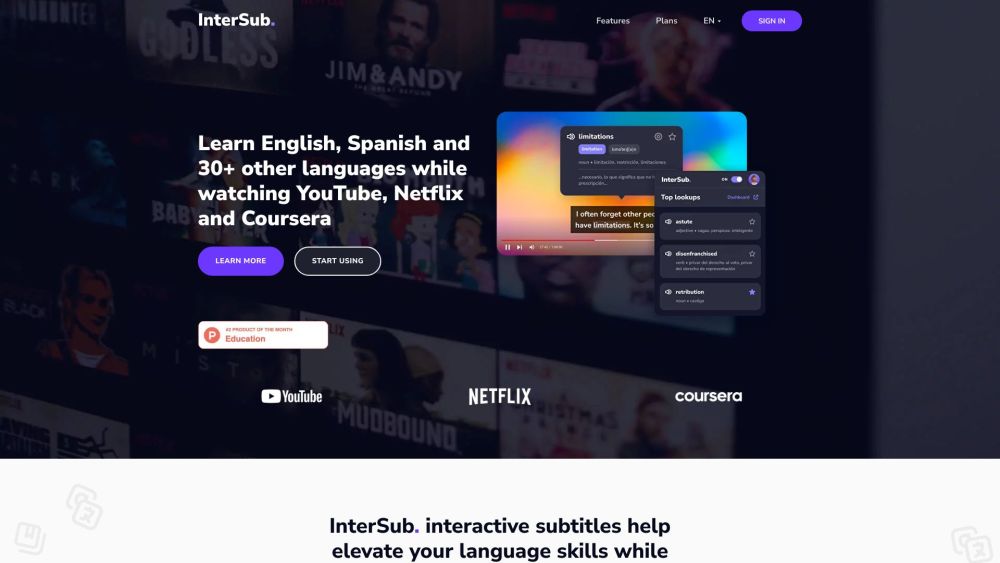
InterSub is a browser extension aimed at language learners who watch videos online. It offers dual subtitles—showing both the original and translated text simultaneously—along with instant translations for quick comprehension. This makes it easier to follow foreign-language content while picking up new words in context. The tool is especially helpful for learners who want to practice listening and reading skills without constantly pausing or switching between tabs. With its straightforward approach, InterSub turns streaming and video-watching sessions into interactive language lessons that fit naturally into your daily routine.
How to Use
Install the InterSub browser extension, then play a video on supported streaming sites. Enable dual subtitles to see your native language alongside the original, and hover or click on any word for an instant translation. Adjust settings to match your learning pace and language goals.
Core Features
Use Cases
- 1 Learning English, Spanish, and other languages while watching shows on YouTube and Netflix.
Frequently Asked Questions
What is InterSub?
How does InterSub work?
Which platforms does InterSub support?
Is there a free trial available for the dual subtitles browser extension?
Can I cancel my InterSub subscription anytime?
Can I get a refund?
Can I transfer my subscription to another account?
Quick Info
- Category
- Writing & Editing
- Subcategory
- AI Subtitle Generator
- Added on
- May 27 2023
- Monthly Visits
- 83.7K
- Rating
- 5.0 / 5.0
- Saved
- 2