CloudStudio
Web-based AI video editor for creating professional videos quickly.
Screenshots
Overview
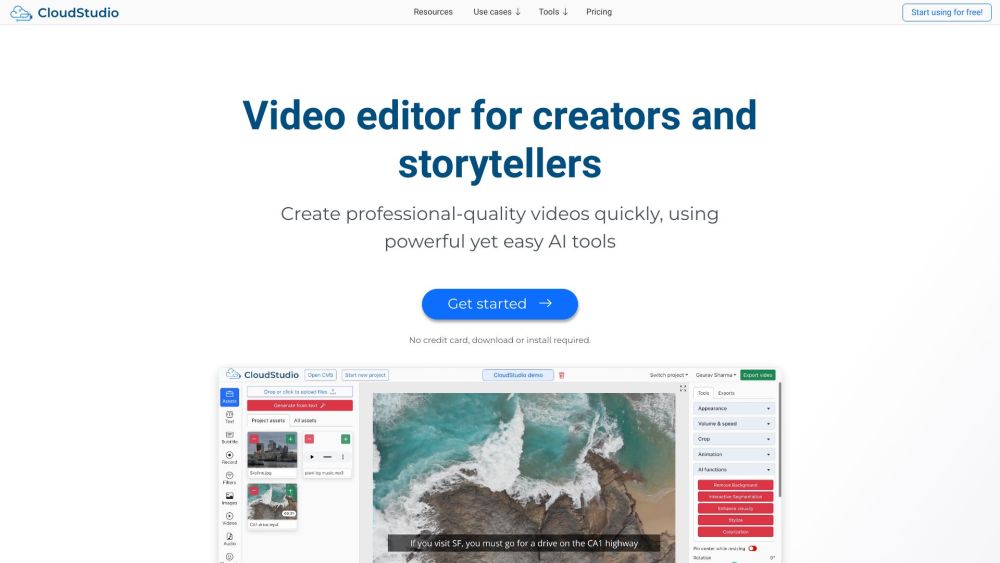
CloudStudio is a web-based AI video editor designed to help users create professional-looking videos quickly and efficiently. It leverages artificial intelligence to simplify the editing process, offering features like automatic scene detection, smart cutting, and AI-generated effects or transitions. The fully cloud-based nature means there is no need for heavy software downloads or high-end hardware; everything runs in the browser. It’s an ideal solution for content creators, marketers, and small businesses who need to produce polished video content for social media, advertisements, or presentations without a steep learning curve or significant time investment.
How to Use
Log in to the CloudStudio web app and upload your raw footage. Use the AI tools to auto-edit, trim scenes, or apply effects. Add text overlays or transitions as needed. Preview your video and export it in your preferred resolution and format.
Core Features
Use Cases
- 1 Creating social media videos
- 2 Making training videos
- 3 Producing marketing videos
- 4 Generating explainer videos
- 5 Creating documentation videos
- 6 Producing product videos
- 7 Making real estate videos
- 8 Creating sales videos
- 9 Generating auto subtitles for videos
Frequently Asked Questions
What makes CloudStudio different from desktop video editors?
Do I need editing experience to use CloudStudio?
Can I export videos in different formats from CloudStudio?
Quick Info
- Category
- Image Generation & Editing
- Subcategory
- Text to Image
- Added on
- Sep 16 2023
- Monthly Visits
- --
- Rating
- 5.0 / 5.0
- Saved
- 4


