Google Bard Voice Extension - Chrome Extension
Voice interaction extension for Google Bard, enabling hands-free conversations and multilingual support.
Screenshots
Overview
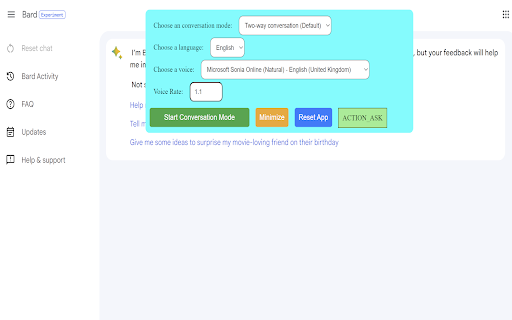
This Chrome extension adds voice interaction to Google Bard, allowing users to converse hands-free with the AI assistant. It supports multilingual voice input and output, making it easier to ask questions, draft content, or get quick answers without typing. Ideal for anyone who prefers speaking over typing—such as busy professionals, people with accessibility needs, or multitaskers—it transforms Bard into a more natural, conversational tool that fits seamlessly into your browsing routine.
How to Use
Install the Google Bard Voice Extension in Chrome, then open Bard. Click the microphone icon to speak your questions, which are translated into text and submitted. The extension also reads Bard’s responses aloud, with multilingual voice support for global usage.
Core Features
Use Cases
- 1 Hands-free interaction with Google Bard
- 2 Voice-based question answering
- 3 Discussing ideas and exploring topics using voice
- 4 Listening to responses in situations where speaking aloud is not possible
Frequently Asked Questions
How does the extension handle different languages?
What factors affect the accuracy of voice-to-text?
What conversation modes are available?
Quick Info
- Category
- Voice Generation & Conversion
- Subcategory
- AI Speech-to-Text
- Added on
- Aug 17 2025
- Monthly Visits
- 1000
- Rating
- 3.1 / 5.0
- Reviews
- 14






