Async - Chrome Extension
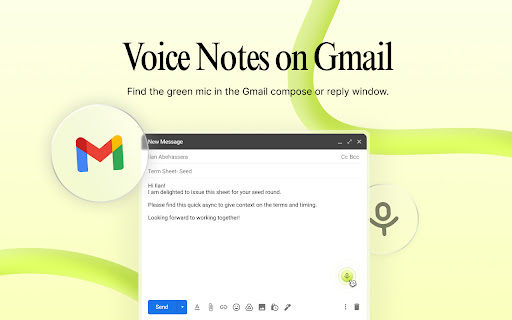
Async enhances Gmail and Chrome with voice notes, transcriptions, AI summaries, and voiceovers.
Screenshots
Overview
Async is a Chrome extension that supercharges both Gmail and your browsing experience with voice-centric productivity features. It enables you to record voice notes and attach them directly to emails, while also providing transcriptions and AI-generated summaries of your communications. The extension even offers voiceover capabilities, allowing you to listen to emails or web content instead of reading them. Designed for busy professionals, Async helps you manage your inbox faster and more efficiently, turning spoken thoughts into actionable messages without the need for lengthy typing or reading sessions.
How to Use
Install the Async extension for Chrome and connect it to your Gmail account. Click the Async icon to record voice notes, which are automatically transcribed. Use AI summaries on lengthy email threads and apply voiceover features to add audio feedback to replies.
Core Features
Use Cases
- 1 Replying to emails with voice notes instead of text
- 2 Adding voiceovers to presentations or documents in Chrome
- 3 Providing feedback on designs or documents with voice notes
- 4 Creating tutorials with voiceovers
Frequently Asked Questions
What is Async?
How does Async work in Gmail?
How does Async work in Chrome?
Quick Info
- Category
- Voice Generation & Conversion
- Subcategory
- AI Speech-to-Text
- Added on
- Nov 14 2023
- Monthly Visits
- 278
- Rating
- 4.1 / 5.0
- Reviews
- 7
- Saved
- 3






