Async - Chrome Extension
Async enhances Gmail and Chrome with voice notes, transcriptions, AI summaries, and voiceovers.
4.1
Rating
7
Reviews
3
Saved
278
Visits/mo
Screenshots
Overview
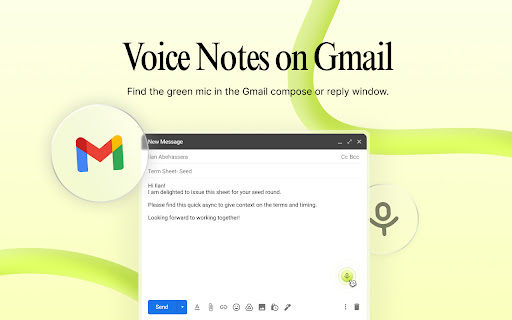
Async is a tool designed to enhance communication within Gmail and Chrome. In Gmail, it allows users to reply to emails with voice notes that are transcribed, include timestamp reactions, and offer AI summaries. In Chrome, it enables users to add voiceovers to their work and share it easily.
How to Use
In Gmail, use Async to record and send voice note replies. In Chrome, record voiceovers for your work and share the link.
Core Features
Voice note replies in Gmail with transcription Timestamp reactions in Gmail AI summaries in Gmail Voiceovers for Chrome content Easy sharing of voiceovers
Use Cases
- 1 Replying to emails with voice notes instead of text
- 2 Adding voiceovers to presentations or documents in Chrome
- 3 Providing feedback on designs or documents with voice notes
- 4 Creating tutorials with voiceovers
Frequently Asked Questions
What is Async?
Async is a Chrome extension that adds voice notes, transcription, AI summaries, and voiceovers to Gmail and Chrome.
How does Async work in Gmail?
In Gmail, Async lets you record voice notes, transcribe them, and get AI summaries right inside your inbox.
How does Async work in Chrome?
Across Chrome, Async records and transcribes voice notes and provides AI summaries on any page.
Quick Info
- Category
- Voice Generation & Conversion
- Subcategory
- AI Speech-to-Text
- Added on
- Nov 14 2023
- Monthly Visits
- 278
- Rating
- 4.1 / 5.0
- Reviews
- 7
- Saved
- 3