ChatGPT Explain
Chrome extension for simplifying complex concepts in selected text.
Screenshots
Overview
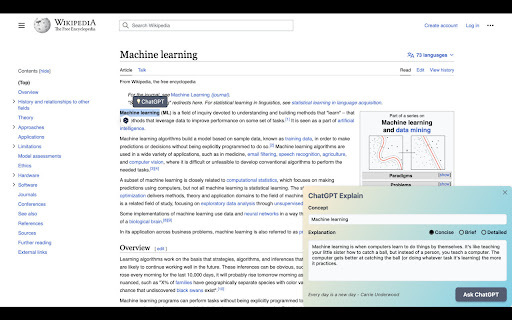
ChatGPT Explain is a Chrome extension designed to demystify complex concepts by simplifying selected text with AI assistance. When you encounter a complicated passage on any webpage, you can highlight it and receive a clearer, more understandable explanation—all without leaving your current page. This makes it a valuable learning aid for students tackling difficult subjects, professionals encountering technical jargon, or anyone looking to comprehend dense articles faster. The extension's seamless integration with your browsing experience ensures that help is always just a click away. It's a practical, unobtrusive tool for deeper understanding in an information-heavy world.
How to Use
Install ChatGPT Explain, then select any text on a webpage. Right-click and choose "Explain" from the context menu, and the extension uses ChatGPT to break down the concept into simpler terms, displayed in a popup for easy understanding.
Core Features
Use Cases
- 1 Understanding complex academic papers
- 2 Quickly grasping new industry jargon
- 3 Simplifying technical documentation
Frequently Asked Questions
Is ChatGPT Explain free to use?
How do I install ChatGPT Explain?
What kind of explanations can I get with ChatGPT Explain?
Quick Info
- Category
- Writing & Editing
- Subcategory
- AI Summarizer
- Rating
- 5.0 / 5.0



