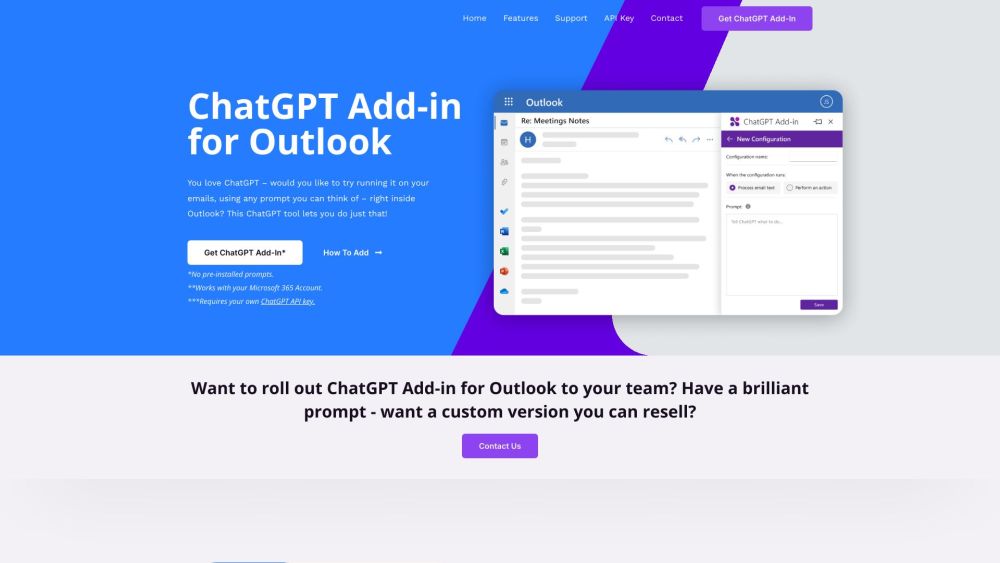
ChatGPT for Outlook
A free Outlook Add-in to run ChatGPT on emails with custom prompts.
5.0
Rating
1
Saved
--
Visits/mo
Screenshots
Overview
Blueberry has released a free Add-in for Microsoft Outlook, which allows users to experiment with ChatGPT within Outlook. The new Add-in allows users to configure custom prompts to run ChatGPT on selected email or new email. This ChatGPT tool lets you run ChatGPT on your emails, using any prompt you can think of – right inside Outlook!
How to Use
Install the Add-in, configure custom prompts, and run ChatGPT on selected or new emails directly within Outlook.
Core Features
Run ChatGPT on messages in your Inbox or while composing new emails Create custom prompts to guide ChatGPT Process entire emails or specific parts (body, subject, attachments) Display output in a separate window or replace the original email body Manage multiple configurations for different emails or scenarios
Use Cases
- 1 Quick identification of important information in emails
- 2 Automatically update email importance based on ChatGPT output
- 3 Summarize long email threads
- 4 Generate highlights of key points in emails
Frequently Asked Questions
What is the ChatGPT Add-in for Outlook?
It's a free Outlook add-in that lets you run ChatGPT on your emails using custom prompts, right inside your mailbox.
What do I need to use the Add-in?
You need an Outlook email account and an OpenAI API key to power the add-in's requests.
Can I roll out a custom version to my team?
Yes, you can customize and deploy a team version of the add-in through your Microsoft 365 admin center.
Can I resell a custom version of the Add-in?
Yes, the add-in is free to modify and you can resell your custom version, as long as you comply with its license terms.
Quick Info
- Category
- Writing & Editing
- Subcategory
- AI Summarizer
- Added on
- Aug 20 2023
- Monthly Visits
- --
- Rating
- 5.0 / 5.0
- Saved
- 1



