Draftio
Draftio transforms web notes into actionable insights with AI and a Chrome extension.
5.0
Rating
Screenshots
Overview
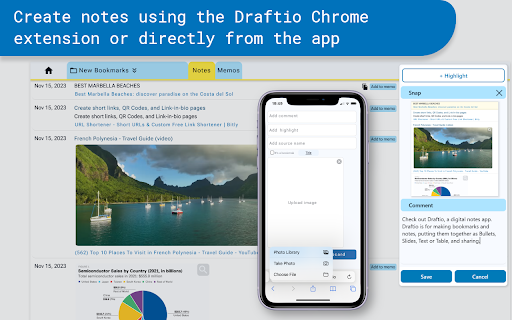
Draftio is an application designed to transform notes taken while browsing the web into actionable insights. It enhances research productivity with AI capabilities and integrates with a Chrome extension for simple, fast, and efficient bookmarking and note-taking. The web clipper allows users to store selected content from any web page directly into their Draftio account, transforming scattered notes into cohesive web Memos effortlessly.
How to Use
Use the Draftio Chrome extension to bookmark and take notes on web pages. Select previously made notes, craft them into a preferred format (bullet points, tables, slides, or text), and instantly share them as web Memos.
Core Features
Web clipping and note-taking AI-powered summarization and drafting Flexible note structure with multiple fields Memo creation and styling Sharing via generated links
Use Cases
- 1 Organizing research notes into structured memos
- 2 Summarizing web content for quick understanding
- 3 Sharing research findings with colleagues
- 4 Creating presentations from web-based information
Frequently Asked Questions
What is the purpose of the Draftio Chrome extension?
The Draftio Chrome extension captures web notes and transforms them into actionable insights with AI, turning snippets you collect while browsing into useful summaries and next steps.
What formats can I use to style my notes in Draftio?
You can style your notes using markdown and rich-text formatting, including headings, bold text, lists, and other common formatting options.
How can I share my memos created in Draftio?
You can share your memos by exporting them or generating a shareable link from the Draftio interface, then sending it to teammates or friends.
Quick Info
- Category
- Writing & Editing
- Subcategory
- AI Summarizer
- Rating
- 5.0 / 5.0



