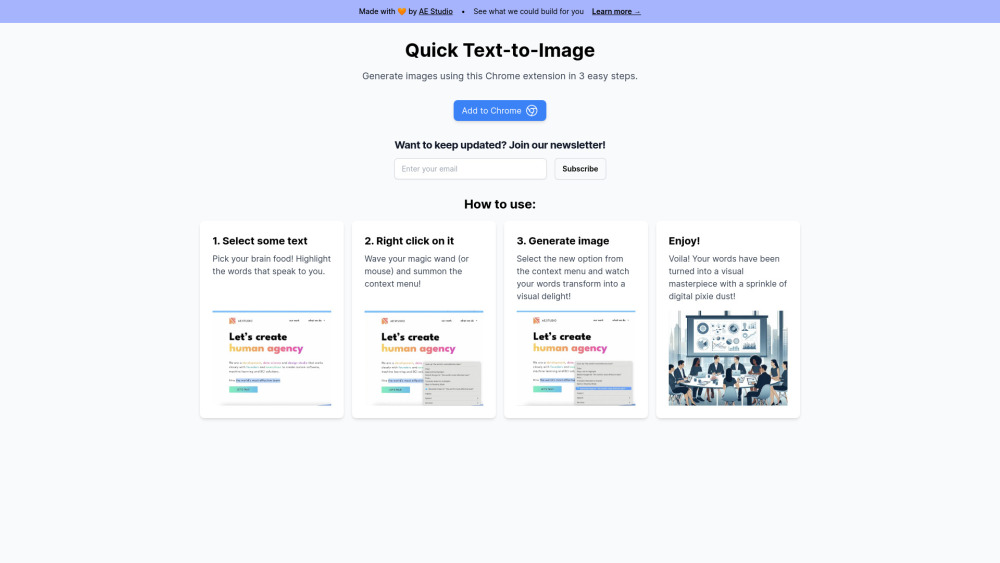
Quick Text-to-Image
Chrome extension to generate images from selected text using AI.
Screenshots
Overview
What is Quick Text-to-Image? Quick Text-to-Image is a Chrome extension that generates images directly from text you select on any webpage. The workflow is minimal: highlight a word, sentence, or phrase while browsing, trigger the extension, and an AI-generated image appears on the spot. This tight integration removes the usual copy-and-paste dance between a browser, a text source, and a separate image tool. It is handy for creators and students who want quick visual drafts while reading - turning snippets of text into shareable visuals in moments.
How to Use
Install the Chrome extension, then highlight any text on a webpage that you want to turn into an image. Right-click and select the Quick Text-to-Image option, and the AI will generate an image based on that selected text in a new tab.
Core Features
Use Cases
- 1 Generating visuals for blog posts or articles
- 2 Creating social media content
- 3 Illustrating ideas or concepts
Frequently Asked Questions
How do I generate an image?
What do I need to use this extension?
Quick Info
- Category
- Image Generation & Editing
- Subcategory
- Text to Image
- Added on
- Jul 05 2024
- Monthly Visits
- --
- Rating
- 5.0 / 5.0


