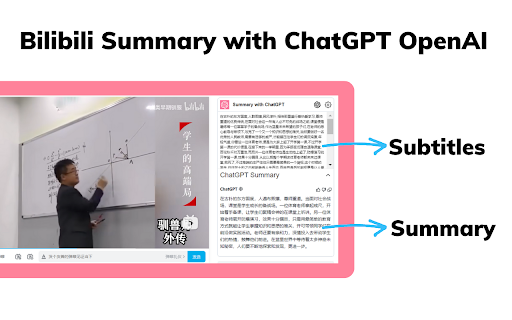
Screenshots
Overview
This tool allows users to quickly access the content of Bilibili videos by providing summaries. It uses ChatGPT smart AI to generate one-click video summaries, enabling users to save time and learn quickly by accessing key information.
How to Use
1. Install the extension. 2. Go to bilibili.com. 3. Select a video. 4. Click the button to generate a summary. 5. Configure parameters on the settings page if needed.
Core Features
Summary Paragraph: Summarizes key content of different video paragraphs. Save time: Quickly loads video summaries. Easy to use: One-click summary generation with copy functionality.
Use Cases
- 1 Quickly understand the content of Bilibili videos without watching the entire video.
Frequently Asked Questions
Q:How does the Bilibili Video Summarizer work? A:It uses AI to process the Bilibili video and generate a concise summary of its main content. Q:Can I customize the summary? A:Yes, you can adjust summary length and focus to match your preferences. Q:Is it easy to copy the summary? A:Yes, the summary can be copied with one click for easy sharing or note-taking.
For details, please visit the official website of Bilibili Video Summarizer.
Quick Info
- Category
- Writing & Editing
- Subcategory
- AI Summarizer
- Rating
- 5.0 / 5.0



