Enigma Extension
Browser extension integrating ChatGPT for various tasks like summarizing and content creation.
5.0
Rating
Screenshots
Overview
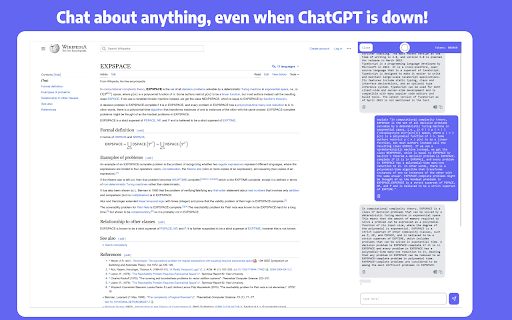
The Enigma extension enhances your browsing experience by integrating ChatGPT directly into your browser. It allows you to chat with PDF files, draft content, summarize webpages, write emails, and more, all without leaving your current webpage. Access ChatGPT features easily through a sidebar or context menu, even when demand is high.
How to Use
Install the Enigma extension. Open the sidebar using ctrl+alt+j (ctrl+cmd+j on MacOS) or by clicking the Enigma icon. Use the 'Compose' tab for drafting content. Highlight text to query or translate it.
Core Features
Chat with PDF files Summarize webpages Draft content for blogs and social media Write and summarize emails Translate highlighted text Query highlighted text from any website Keep chat context for each website separately
Use Cases
- 1 Summarizing long research papers or articles
- 2 Drafting social media posts for a marketing campaign
- 3 Writing professional emails for work
- 4 Getting quick answers from online resources
- 5 Translating foreign language content
Frequently Asked Questions
How do I open the Enigma sidebar?
Click the Enigma extension icon in your browser toolbar, and the sidebar will open next to the current page.
Can I use Enigma to summarize any webpage?
Yes, Enigma can summarize virtually any webpage you are viewing, right from the sidebar.
Can I download the responses from Enigma?
Yes, you can copy or download the responses Enigma generates so you can keep or share them.
Quick Info
- Category
- Writing & Editing
- Subcategory
- AI Summarizer
- Rating
- 5.0 / 5.0



