Auto Highlight
Browser extension that highlights important content on article pages.
5.0
Rating
Screenshots
Overview
Auto Highlight is a browser extension that automatically highlights the important content on article pages, addressing the problem of *tl;dr* in a similar way to an article summarizer. It uses an algorithm based on term frequencies in the entire article to pick important sentences.
How to Use
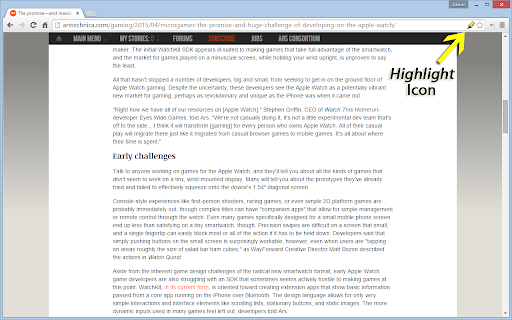
To use Auto Highlight, click the highlighter icon in the location bar. Clicking multiple times changes the highlighting coverage. As the page receives more highlighting, the icon will show less available ink.
Core Features
Automatic highlighting of important content
Use Cases
- 1 Quickly identify key information in long articles.
Frequently Asked Questions
How does Auto Highlight work?
The extension analyzes article pages as you read and automatically highlights important content such as key sentences and key terms, letting you skim the main points quickly.
Does Auto Highlight collect user data?
No, Auto Highlight processes pages locally in your browser and does not collect or store your personal data.
How do I adjust the highlighting coverage?
You can adjust the highlighting coverage in the extension's settings to highlight more or less content according to your preference.
Quick Info
- Category
- Writing & Editing
- Subcategory
- AI Summarizer
- Rating
- 5.0 / 5.0



