Markup
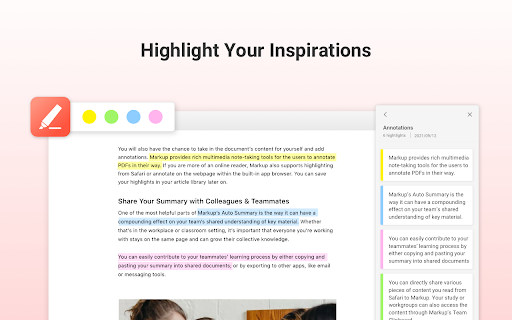
Markup is a web page highlighter for saving, sharing, and syncing highlights and summaries.
Screenshots
Overview
Markup is a web page highlighter that lets you save, share, and sync highlights and summaries from articles and websites. Instead of losing important passages in a sea of browser tabs, you can mark up text and keep it organized in one place. The tool also enables easy sharing of your highlights with others, making it great for research teams, students, and professionals who collaborate on reading materials. With syncing capabilities, your marked content stays up to date across devices, ensuring your insights and collected knowledge are always accessible when you need them.
How to Use
Install the Markup extension. As you browse articles or web pages, use the toolbar or right-click menu to highlight key passages. Add notes or summaries for each highlight. Use your library to save, share, and sync highlights across devices. Export your highlights or share them with collaborators for research or review.
Core Features
Use Cases
- 1 Highlighting important information on web pages for later review.
- 2 Extracting key points from articles to quickly understand the main message.
- 3 Sharing highlighted content and summaries with friends or colleagues.
- 4 Synchronizing highlights and annotations across multiple devices.
Frequently Asked Questions
How do I highlight text on a web page using Markup?
What is the AI Auto Summary feature?
How does Markup sync my highlights across devices?
Quick Info
- Category
- Writing & Editing
- Subcategory
- AI Summarizer
- Rating
- 5.0 / 5.0
- Saved
- 1



