Markup
Markup is a web page highlighter for saving, sharing, and syncing highlights and summaries.
5.0
Rating
1
Saved
Screenshots
Overview
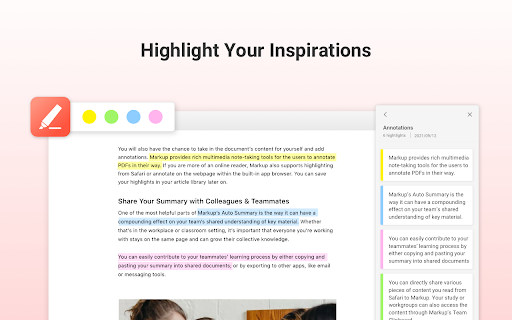
Markup is a web page highlighter tool that allows you to save, share, and sync all your important highlights made across web and mobile. It also extracts key points from articles within one click to grasp the main message instantly. Web highlighting has never been this easy and productive!
How to Use
Highlight texts on any web page through your Chrome or mobile devices. Use the AI Auto Summary feature to extract key points from articles or web pages. All summaries can be as annotations for later review or sharing.
Core Features
Easy Highlight AI Auto Summary Curated Content Sync On All Devices
Use Cases
- 1 Highlighting important information on web pages for later review.
- 2 Extracting key points from articles to quickly understand the main message.
- 3 Sharing highlighted content and summaries with friends or colleagues.
- 4 Synchronizing highlights and annotations across multiple devices.
Frequently Asked Questions
How do I highlight text on a web page using Markup?
Select the text you want to mark and click the highlight button in the Markup toolbar; your highlight is saved automatically.
What is the AI Auto Summary feature?
AI Auto Summary condenses your highlights into a short, readable summary, so you can review key points without re-reading the entire page.
How does Markup sync my highlights across devices?
Markup syncs your highlights and summaries to your account, keeping them up to date on all your devices.
Quick Info
- Category
- Writing & Editing
- Subcategory
- AI Summarizer
- Rating
- 5.0 / 5.0
- Saved
- 1



