LongShot AI
AI writing assistant for content creation on any webpage.
Screenshots
Overview
LongShot AI is an AI-powered writing assistant that enhances content creation on any webpage. It offers features like rephrasing, text insertion with contextual awareness, summarization, and tone customization through a Chrome plugin. It helps users research, generate, and optimize long-form content, create comprehensive content with Semantic SEO, write personalized content, generate content in multiple languages, and overcome writer's block.
How to Use
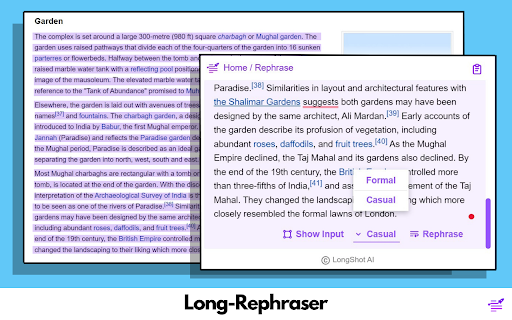
Install the LongShot AI Chrome plugin. Use features like Long-Rephraser by selecting text (at least 100 words) to rephrase. Use Joom-In Text by positioning the cursor between sentences to insert contextually relevant text. Summarize paragraphs with Joom-Out Text by selecting the text. Customize the tone by selecting a style or specifying a persona.
Core Features
Use Cases
- 1 Rephrasing content on any website.
- 2 Inserting text seamlessly into existing content.
- 3 Summarizing long paragraphs for quick overviews.
- 4 Adjusting the tone of writing for different audiences.
Frequently Asked Questions
Q:What is Long-Rephraser? A:Long-Rephraser is a LongShot AI feature that rewrites longer passages of text to improve clarity and style while preserving the original meaning. Q:What is Joom-In Text? A:Joom-In Text is a LongShot AI feature that expands or elaborates on selected content, adding detail to make it richer and more complete. Q:What is Joom-Out Text? A:Joom-Out Text condenses selected content into a shorter version, making it easier to digest and quicker to read. Q:Can I customize the tone of the content? A:Yes. LongShot AI lets you customize the tone of the generated content so it matches your audience and purpose.
Quick Info
- Category
- Writing & Editing
- Subcategory
- AI Summarizer
- Rating
- 5.0 / 5.0


