PUMPG - Powerusers MidJourney Prompt Generator
Interactive Midjourney prompt generator for creating AI art prompts easily.
Screenshots
Overview
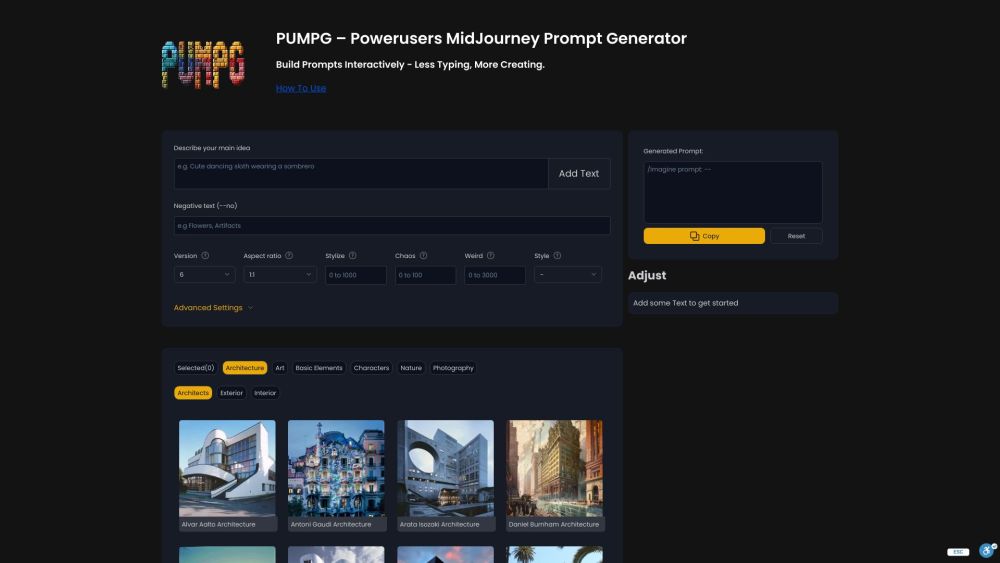
What is PUMPG - Powerusers MidJourney Prompt Generator? PUMPG is an interactive prompt generator that makes working with Midjourney easier and more experimental. Instead of memorizing commands and parameter syntax, users build prompts through a friendly interface where styles, parameters, and filters are combined visually. That reduces typing and removes the need to recall specific flags, letting users focus on creative direction. The interactive approach encourages experimentation - adjusting one option and seeing the prompt change makes it easy to iterate toward a desired look. PUMPG turns prompt construction into a guided, creative process for newcomers and power users alike.
How to Use
To use PUMPG, start by describing your main idea and adding text. Utilize the various filters and settings such as aspect ratio, stylize, chaos, and advanced options like Sref and Cref. Hover over fields for tooltips that provide explanations. After building the prompt, copy it and use it in Midjourney. Iterate and tweak inputs as needed to refine the results.
Core Features
Use Cases
- 1 Generating creative and unique images using Midjourney
- 2 Experimenting with different art styles and compositions
- 3 Creating consistent character designs using reference images
- 4 Optimizing GPU usage by adjusting speed and quality settings
Frequently Asked Questions
What is a Midjourney Prompt Generator?
How do I upload an image to the AI prompt generator?
Can ChatGPT generate Midjourney prompts?
What is the best Free Midjourney Prompt Generator?
Quick Info
- Category
- Image Generation & Editing
- Subcategory
- Text to Image
- Added on
- May 12 2024
- Monthly Visits
- 78.6K
- Rating
- 5.0 / 5.0
- Saved
- 1




