Otio
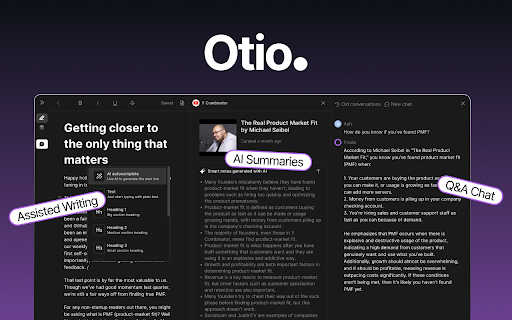
Otio is an AI platform for collecting, summarizing, and drafting writing based on research materials.
Screenshots
Overview
Otio is an AI platform built for researchers and writers who need to manage extensive source material. It allows users to collect research from various sources, automatically summarize key points, and then draft written content directly based on those findings. The platform streamlines the entire workflow from gathering information to producing a polished first draft, reducing the friction commonly felt during the research phase. Otio is particularly valuable for academics, journalists, and content creators who juggle numerous references and require an efficient way to turn raw research into structured writing.
How to Use
Create a workspace in Otio, then upload or link your research materials such as PDFs, web pages, or notes. Use the AI to auto-summarize sources, organize key findings, and draft new writing directly from the collected research.
Core Features
Use Cases
- 1 Researching a topic by collecting relevant articles and videos, then using Otio to summarize and extract key ideas for writing a report.
- 2 Drafting a blog post by gathering source material and using Otio's AI to create an outline and initial draft.
Frequently Asked Questions
How do I collect links with Otio?
What types of content can Otio summarize?
How does Otio help with writing?
Quick Info
- Category
- Writing & Editing
- Subcategory
- AI Summarizer
- Rating
- 5.0 / 5.0



