Screenshots
Overview
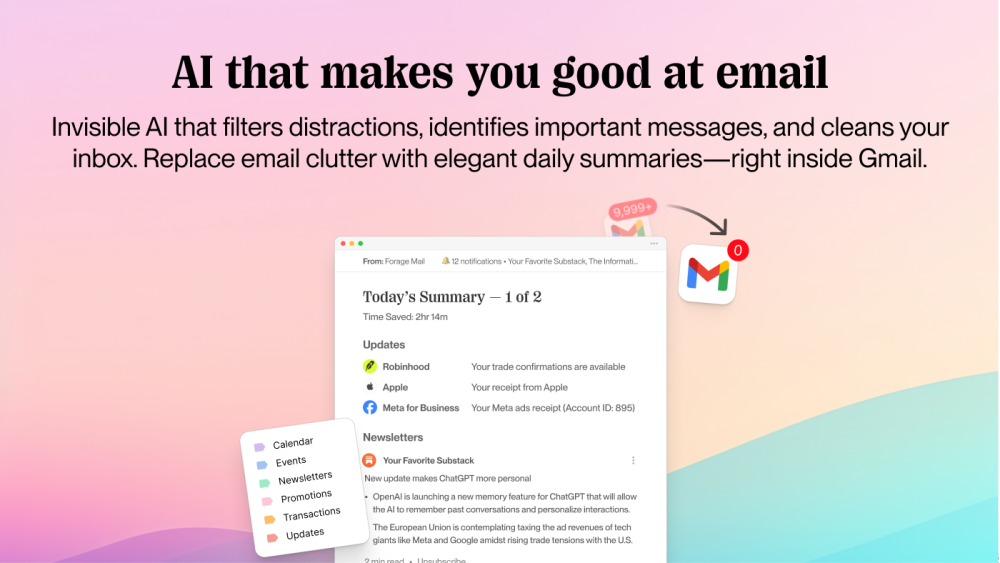
Invisible AI that filters distractions, identifies important messages, and cleans your inbox. Replace email clutter with elegant daily summaries that keep you informed—right inside Gmail.
How to Use
Forage works out-of-the-box, no training required. Simply grant Gmail access and continue checking email how you’re used to. Forage runs quietly in the background. It labels, sorts, and flags anything time-sensitive or actionable in your inbox. All non-priority mail is bundled into an elegant daily summary, organized by your auto-labels for lightning-fast skimming. You can also clear years of email clutter in minutes. And with one-click unsubscribe + block lists, spam never slows you down again. Get started in 30 seconds and let Forage work for you 24/7.
Core Features
Gmail Integration: Keep your favorite email app—Forage Mail just runs alongside it. Priority Filter: AI that automatically identifies actionable and time-sensitive messages and keeps them up front. Daily Forage Briefs: One or two clean emails a day, organized by category with summary and read-time estimates. Auto Labels: AI-powered sorting that groups mail by type (Newsletters, Promos, Updates, Events, etc.) the moment it arrives. Deep Clean: Erase old clutter in a click and reclaim inbox zero. Mass unsubscribe from unwanted senders. VIP & Block Lists: Add VIPs who always stay in your inbox—and banish the rest. Sync Multiple Accounts: Set preferences once, apply them to all your email accounts Custom Filters: Fine-tune exactly what lands where and when you see it. One-click Unsubscribe: Forage will handle the unsubscribe action for you so you can stay in flow. Newsletter Summaries: Get the key points of any article and decide if you want to read the whole thing.
Use Cases
- 1 Reduce email overload.
- 2 Filter out low-priority emails, newsletters, and promotions.
- 3 Quickly review daily summaries of non-essential communications.
- 4 Clean up years of accumulated unread emails & finally get to inbox zero.
- 5 Manage and sync preferences across multiple email accounts.
- 6 Automated email organization and prioritization.
- 7 Summarize long articles and newsletters.
Frequently Asked Questions
Do I need to use a specific email app with Forage?
No, Forage works with your existing email app, so you don't need to switch.
Where does Forage manage my emails?
Forage manages your emails in its own interface, applying AI labeling and summaries to your inbox.
What happens to my emails after Forage auto labels them?
After auto labeling, your emails are organized into the labels Forage assigns, making them easier to find and process.
Can I change how many Daily Forage emails I receive each day?
Yes, you can adjust how many Daily Forage digest emails you receive each day in your settings.
How does Forage respect my privacy?
Forage uses your data only to label and manage your email, and gives you controls over how it is used.
Can I use Forage with multiple email accounts?
Yes, Forage supports connecting and managing multiple email accounts.
Quick Info
- Category
- Writing & Editing
- Subcategory
- AI Summarizer
- Added on
- Mar 26 2025
- Monthly Visits
- --
- Rating
- 5.0 / 5.0



