OneClick AI
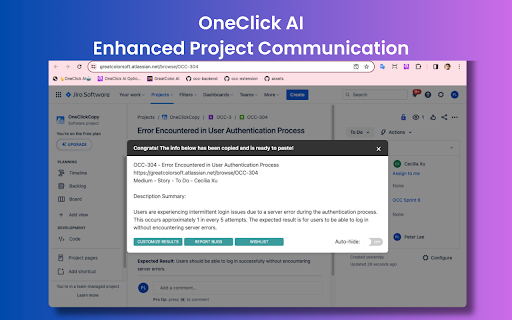
OneClick AI streamlines workflows by extracting and summarizing content with a single click.
Screenshots
Overview
OneClick AI simplifies digital workflows with a single-click approach to content extraction and summarization. It captures the essence of any selected text or document instantly, eliminating the need for manual note-taking or external tools. By streamlining the process of condensing information, it helps professionals, students, and creators work more efficiently. Whether used for research, report preparation, or quick reviews, OneClick AI integrates seamlessly into daily tasks, transforming overwhelming content into clear, actionable takeaways.
How to Use
Install OneClick AI and select any text or document on your screen. With a single click, the tool extracts and summarizes the content, streamlining your workflow by eliminating manual copying. Use the generated summaries to quickly review information without leaving your current application.
Core Features
Use Cases
- 1 Sharing project updates from platforms like Jira or Slack
- 2 Disseminating news articles from sources such as CNN or Fox
- 3 Managing comments on tweets
- 4 Simplifying knowledge sharing within organizations
- 5 Empowering individual research efforts
Frequently Asked Questions
Is OneClick AI free to use?
What browsers are supported by OneClick AI?
Which AI model does OneClick AI use?
How often is the extension updated?
Quick Info
- Category
- Writing & Editing
- Subcategory
- AI Summarizer
- Rating
- 5.0 / 5.0



