OneClick AI
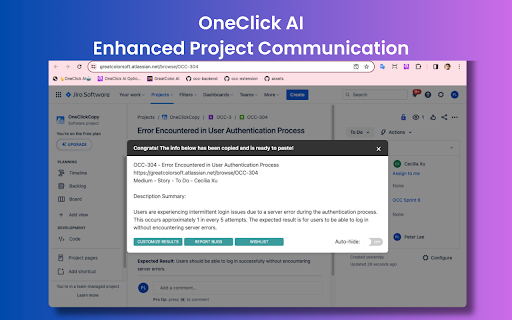
OneClick AI streamlines workflows by extracting and summarizing content with a single click.
5.0
Rating
Screenshots
Overview
OneClick AI is a tool designed to streamline workflows by extracting and summarizing content with a single click. It enhances productivity in project management, cross-team collaboration, individual research, and information sharing. The tool allows users to customize the appearance of results, and all extracted data is copied to the clipboard for immediate use.
How to Use
OneClick AI can be activated by clicking the extension icon on the toolbar, right-clicking to open the context menu, pressing a keyboard shortcut, or right-clicking the extension icon on the toolbar.
Core Features
One-click extracting and summarizing of content Multilingual summarization Automatic copying of results to the clipboard
Use Cases
- 1 Sharing project updates from platforms like Jira or Slack
- 2 Disseminating news articles from sources such as CNN or Fox
- 3 Managing comments on tweets
- 4 Simplifying knowledge sharing within organizations
- 5 Empowering individual research efforts
Frequently Asked Questions
Is OneClick AI free to use?
Yes, OneClick AI is free to use.
What browsers are supported by OneClick AI?
OneClick AI supports Chrome and Chromium-based browsers as an extension.
Which AI model does OneClick AI use?
OneClick AI uses OpenAI's GPT-based models to extract and summarize content.
How often is the extension updated?
The extension is updated regularly to improve performance and add new features.
Quick Info
- Category
- Writing & Editing
- Subcategory
- AI Summarizer
- Rating
- 5.0 / 5.0



