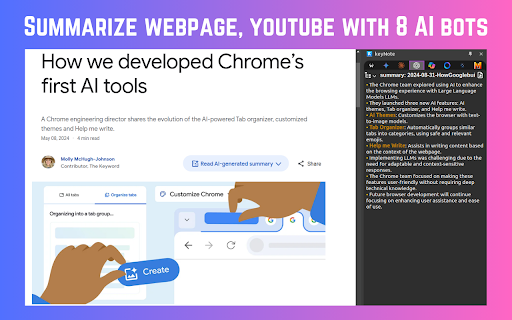
Screenshots
Overview
keyNote is a free Chrome Extension that summarizes webpages, YouTube videos, and PDF documents using 8 AI bots. It offers features like mindmap generation, highlighting, auto-organization of notes, and export to Notion. It's designed to save time and facilitate quicker learning.
How to Use
Install the keyNote Chrome Extension. Use it to summarize webpages, YouTube videos, or PDF documents. Press 'Alt+S' to summarize the current webpage or 'Alt+N' to open the notebook.
Core Features
Summarize webpages, YouTube videos, and PDFs using 8 AI bots Webpage Summary, Mindmap & Highlight Auto-organize notes (Domain-wise, Date-wise, Folder-wise) Export summarized content to Notion Editable summarized content in markdown format Live preview markdown editor with syntax highlight
Use Cases
- 1 Quickly summarize articles and YouTube videos for efficient learning.
- 2 Organize research notes by domain, date, or custom folders.
- 3 Export summaries to Notion for collaborative work and documentation.
Frequently Asked Questions
Q:What types of content can keyNote summarize? A:keyNote summarizes web content including articles, blog posts, and long-form pages using AI. Q:Is keyNote free to use? A:Yes, keyNote is a free Chrome extension for content summarization. Q:Does keyNote require signup? A:No signup is needed to start summarizing webpages with keyNote. Q:How can I summarize a webpage using keyNote? A:Open the page, click the keyNote extension, and it generates a summary using one of its 8 AI bots. Q:Can I export summarized content to Notion? A:Yes, keyNote supports exporting your summaries directly to Notion.
For details, please visit the official website of keyNote.
Quick Info
- Category
- Writing & Editing
- Subcategory
- AI Summarizer
- Rating
- 5.0 / 5.0



