Markly AI
AI Chrome extension for bookmarks, reading lists, topic classification, and summarization.
Screenshots
Overview
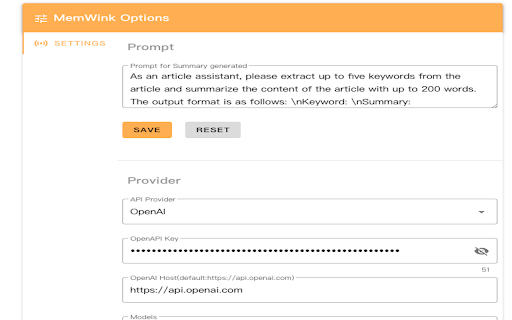
Markly AI is a Chrome extension that enhances bookmark management through the power of artificial intelligence. It helps users organize their saved links into clean reading lists, automatically classifies bookmarks into relevant topics, and provides quick AI-generated summaries for each page. This eliminates the clutter of unorganized folders and makes it easier to revisit key articles or resources. Designed for researchers, students, and professionals who consume large amounts of online content, Markly AI turns a browser’s bookmarks into an intuitive, searchable, and digestible knowledge base.
How to Use
To use Markly AI, install the Chrome extension and browse as usual. Click the extension icon on any page to save it to your bookmarks or reading list, and the AI will classify its topic and provide a brief summary for later reference.
Core Features
Use Cases
- 1 Organize research materials by topic for academic projects
- 2 Quickly understand the content of articles without reading the full text
- 3 Efficiently manage a large collection of bookmarks for professional use
- 4 Create categorized reading lists for personal development
Frequently Asked Questions
How does Markly AI classify bookmarks?
Does Markly AI work offline?
Is my data secure with Markly AI?
Quick Info
- Category
- Writing & Editing
- Subcategory
- AI Text Classifier
- Rating
- 5.0 / 5.0



