Transcribe YouTube Video - Chrome Extension
Chrome extension for YouTube transcription, summarization, and navigation.
Screenshots
Overview
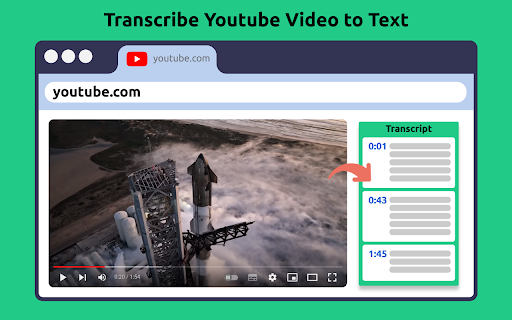
Transcribe YouTube Video is a Chrome extension that turns video watching into a more efficient, text-based experience. It provides automatic transcription of YouTube content, generates concise summaries, and enables easy navigation through the video via its transcript. Instead of scrubbing through footage or taking manual notes, users can read the entire conversation, jump to specific moments, or grasp the core message at a glance. Designed for students, researchers, journalists, and anyone short on time, this extension is a practical companion for digesting long-form video content without sacrificing comprehension.
How to Use
Install the extension from the Chrome Web Store, then open any YouTube video. Click the extension icon to view a transcript, generate a summary, or use the navigation features to jump to specific parts of the video.
Core Features
Use Cases
- 1 Transcribe YouTube Video ai chrome extension's Use Cases
- 2 Transcribing YouTube videos for research and analysis
- 3 Summarizing lengthy videos to save time
- 4 Creating accessible content for non-native speakers
- 5 Repurposing video content into blog posts or articles
Frequently Asked Questions
Q: How do I get a transcript of a YouTube video? A: The free Chrome extension generates transcripts and summaries of YouTube videos with one click. It works in any language and protects your privacy.
Quick Info
- Category
- Writing & Editing
- Subcategory
- AI Text Generator
- Added on
- Apr 13 2025
- Monthly Visits
- 4.0K
- Rating
- 3.7 / 5.0
- Reviews
- 6
- Saved
- 1






