Transcribe YouTube Video - Chrome Extension
Chrome extension for YouTube transcription, summarization, and navigation.
3.7
Rating
6
Reviews
1
Saved
4.0K
Visits/mo
Screenshots
Overview
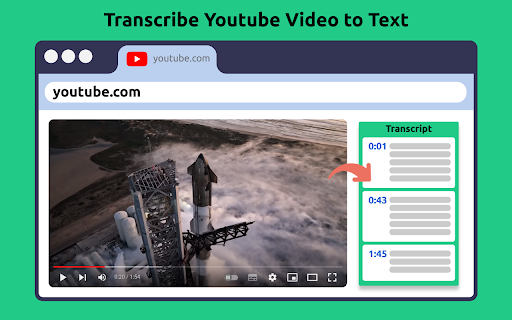
Transcribe YouTube Video is a Chrome extension designed to enhance your YouTube experience by transcribing videos, extracting subtitles, providing summaries, and enabling easy navigation through content. It leverages AI technology to transcribe and summarize videos in multiple languages, allowing users to quickly access and utilize the information contained within YouTube videos.
How to Use
2. Open any YouTube video. 3. Access the extension panel to get the transcript, AI summary, and timeline navigation. 4. Download or copy the text as needed.
Core Features
Transcribe YouTube Video ai chrome extension's Core Features AI-powered transcription and summarization Multi-language support Time navigation with timestamps Downloadable transcripts Copy transcript to clipboard
Use Cases
- 1 Transcribe YouTube Video ai chrome extension's Use Cases
- 2 Transcribing YouTube videos for research and analysis
- 3 Summarizing lengthy videos to save time
- 4 Creating accessible content for non-native speakers
- 5 Repurposing video content into blog posts or articles
Frequently Asked Questions
Q: How do I get a transcript of a YouTube video? A: The free Chrome extension generates transcripts and summaries of YouTube videos with one click. It works in any language and protects your privacy.
For details, please visit the official website of Transcribe YouTube Video - Chrome Extension.
Quick Info
- Category
- Writing & Editing
- Subcategory
- AI Text Generator
- Added on
- Apr 13 2025
- Monthly Visits
- 4.0K
- Rating
- 3.7 / 5.0
- Reviews
- 6
- Saved
- 1