Text Assistant - Chrome Extension
Chrome extension for writing, proofreading, and explaining text using OpenAI API.
Screenshots
Overview
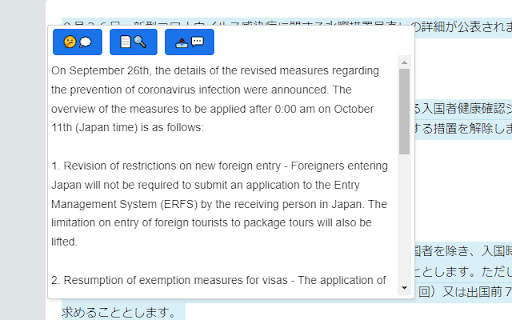
Text Assistant is a Chrome extension that brings writing, proofreading, and text explanation tools directly into your browser using the OpenAI API. It helps users craft clearer emails, polish articles, or understand complex passages with just a few clicks. Seamlessly integrated into your workflow, it's ideal for professionals, students, and anyone who writes regularly. The extension offers quick, AI-backed support without leaving your current page, making it a practical, on-the-go assistant.
How to Use
Install the extension from the Chrome Web Store, then click its icon on any webpage to open the assistant panel. Highlight text or type your own, choose a task like writing, proofreading, or explaining, and the extension sends the request via your OpenAI API key. Review and copy the polished output directly.
Core Features
Use Cases
- 1 Text Assistant ai chrome extension's Use Cases
- 2 Quickly understand complex text passages.
- 3 Correct grammar and spelling errors in your writing.
- 4 Generate appropriate responses to emails or messages.
Frequently Asked Questions
What is Text Assistant?
Do I need an OpenAI API key to use Text Assistant?
Quick Info
- Category
- Writing & Editing
- Subcategory
- AI Text Generator
- Added on
- Apr 06 2023
- Monthly Visits
- 74
- Rating
- 0.0 / 5.0





