StaticBlocks
AI-powered, self-hosted static website builder with drag-and-drop interface and no coding required.
5.0
Rating
1
Saved
--
Visits/mo
Screenshots
Overview
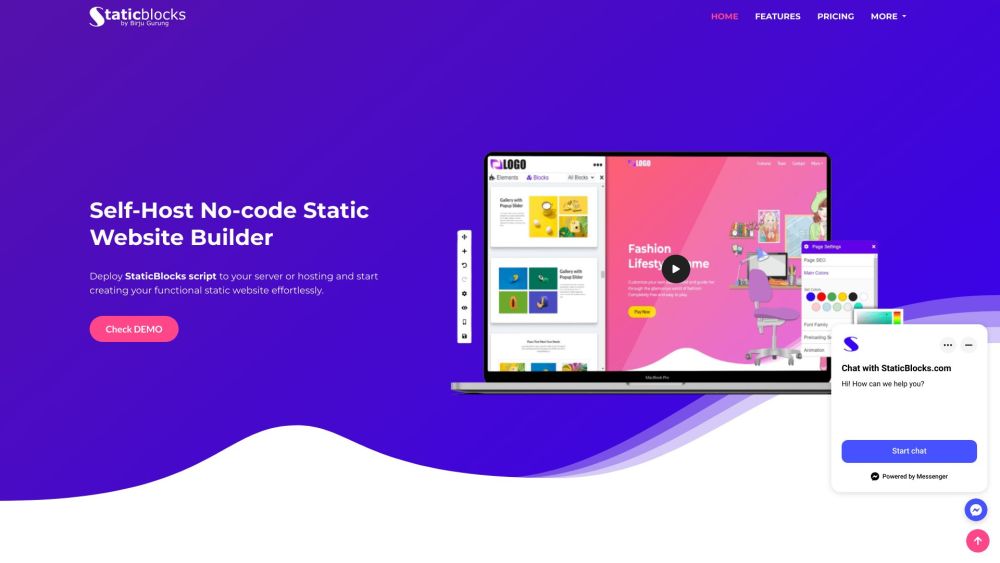
StaticBlocks is an AI-Powered, Self-Hosted Multi-Page Static Website Builder. It allows users to create websites effortlessly with a drag-and-drop interface, SEO optimization, and seamless integrations, all without coding. Users can deploy the StaticBlocks script to their server or hosting and start creating functional static websites.
How to Use
How to use StaticBlocks? Deploy the StaticBlocks script to your server or hosting. Use the drag-and-drop interface to customize your website. Utilize AI-powered content and image creation features. Export your website's HTML/CSS/JS files when finished.
Core Features
StaticBlocks's Core Features Drag-n-Drop Building Blocks AI-powered content creation AI-Powered Image creation Automagically mobile-friendly websites Easy website export SEO optimization Code Editor Integrations (MailChimp, Google Analytics, YouTube, Vimeo)
Use Cases
- 1 StaticBlocks's Use Cases
- 2 Creating landing pages
- 3 Building small business websites
- 4 Developing personal portfolios
- 5 Generating static websites for quick deployment
Frequently Asked Questions
Q:What is StaticBlocks? A:StaticBlocks is an AI-powered, self-hosted website builder with a drag-and-drop interface and no coding required. Q:For whom is StaticBlocks designed? A:It is designed for developers, freelancers, and businesses wanting fast, self-hosted static sites. Q:Why StaticBlocks? A:It combines AI generation with full self-hosting, giving you speed, privacy, and complete ownership. Q:What are the requirements to install the StaticBlocks Script on my server/hosting? A:You need a PHP-enabled server with a supported database and standard web hosting permissions. Q:What programming languages are used to build the StaticBlocks website builder, and how are they utilized in the development process? A:StaticBlocks is built mainly with PHP for backend logic and JavaScript for the frontend drag-and-drop UI.
For details, please visit the official website of StaticBlocks.
Quick Info
- Category
- Writing & Editing
- Subcategory
- AI Text Generator
- Added on
- Dec 17 2023
- Monthly Visits
- --
- Rating
- 5.0 / 5.0
- Saved
- 1