AI Video Editor
AI Video Editor for creating professional videos easily.
5.0
Rating
4
Saved
Screenshots
Overview
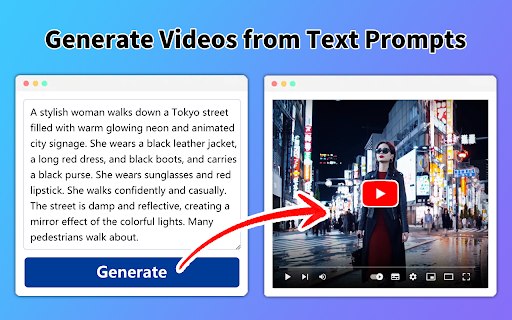
Our AI Video Editor enables everyone to create professional videos without mics, cameras, actors or studios. It offers features like Idea to video, Blog to video, PPT to video, Tweet to video, Avatar video, and Product to video.
How to Use
To use the AI Video Editor, simply select the desired feature (e.g., Idea to video, Blog to video). For text-based features, input your text or idea. For PPT or product listings, upload the relevant file or link. The AI will then generate a video based on your input.
Core Features
Idea to video Blog to video PPT to video Tweet to video Avatar video Product to video
Use Cases
- 1 Content Creation
- 2 Business & Corporate
- 3 Marketing & Social Media
- 4 Education & E-Learning
- 5 eCommerce
- 6 Localization & Translation
- 7 Customer Service
- 8 Sales Enablement
- 9 Information Security
Frequently Asked Questions
How does the AI Video Editor ensure data privacy?
The tool processes your content securely and does not use your footage for training or share it with third parties.
What types of content can be transformed into videos?
You can turn clips, photos, raw footage, and even text prompts into professional-looking videos.
Quick Info
- Category
- Voice Generation & Conversion
- Subcategory
- AI Text-to-Speech
- Rating
- 5.0 / 5.0
- Saved
- 4





