VideoGen
Generate videos with captions, b-roll, music, and AI narration from any text.
5.0
Rating
2
Saved
Screenshots
Overview
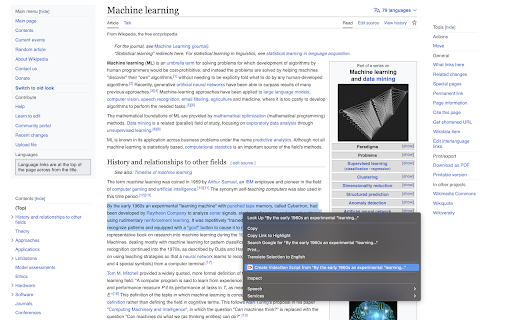
VideoGen makes it easy to generate videos with captions, b-roll footage, music, and AI narration. Using the VideoGen Chrome Extension, you can select any text on the Internet and convert it into a video in just a few clicks.
How to Use
Install the VideoGen Chrome Extension, select text on any webpage, and convert it into a video with a few clicks.
Core Features
Automatic video generation from text Chrome Extension integration Caption generation B-roll footage integration Music integration AI narration
Use Cases
- 1 Convert blog posts into engaging videos
- 2 Create social media content from articles
- 3 Generate educational videos from online resources
Frequently Asked Questions
How does VideoGen work?
You input any text and VideoGen automatically turns it into a video with captions, b-roll, music, and AI narration.
What kind of content can I turn into a video?
You can turn almost any text, such as articles, scripts, or blog posts, into a finished video.
Quick Info
- Category
- Voice Generation & Conversion
- Subcategory
- AI Text-to-Speech
- Rating
- 5.0 / 5.0
- Saved
- 2





