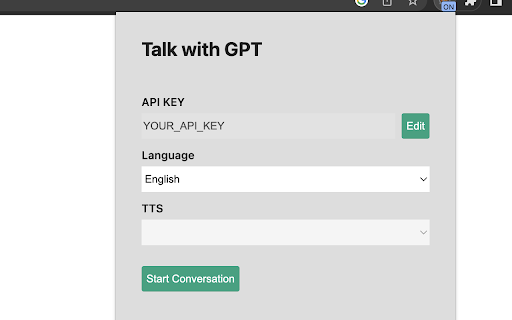
Talk-with-GPT
Chrome extension for conversing with OpenAI's GPT-3 using voice or text.
Screenshots
Overview
Talk-with-GPT is a Chrome extension that turns your browser into a conversational gateway to OpenAI's GPT-3. Instead of typing prompts into a separate tab, you can speak or type directly and get responses back in real time. It's a lightweight way to make interacting with AI more natural, whether you're brainstorming ideas, drafting content, or just curious. The voice input is especially handy when you want to keep your hands free or prefer talking over typing. If you're someone who lives in Chrome and wants a faster, more intuitive route to GPT-3, this extension is a simple, practical addition to your workflow.
How to Use
Install the Chrome extension, then click its icon to open a chat panel. Choose between voice or text input to ask questions, and GPT-3 will respond conversationally. Use it alongside your browsing without switching tabs.
Core Features
Use Cases
- 1 Casual conversation with an AI
- 2 Language skill practice
- 3 Experimenting with AI technology
Frequently Asked Questions
What do I need to use Talk-with-GPT?
How do I start a conversation?
Quick Info
- Category
- Voice Generation & Conversion
- Subcategory
- AI Text-to-Speech
- Rating
- 5.0 / 5.0





