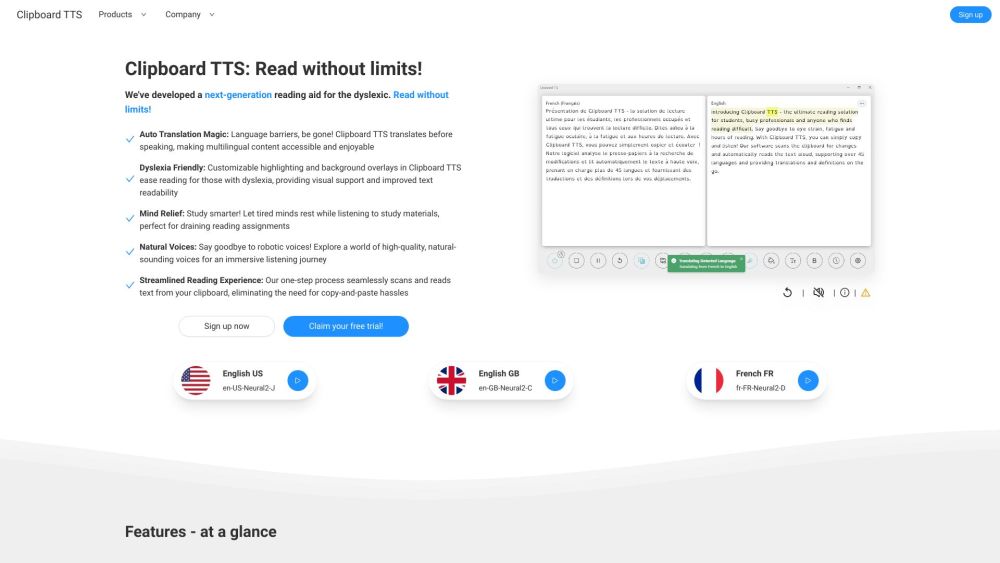
Clipboard TTS
Text-to-speech app for streamlined reading with dyslexia-friendly features and auto-translation.
Screenshots
Overview
Clipboard TTS is a text-to-speech application that streamlines reading through audio playback. It includes dyslexia-friendly features designed to support readers who struggle with traditional text, making content easier to process and understand. The app also offers auto-translation, allowing users to have text read aloud in different languages. This makes it a versatile tool for language learners, people with reading disabilities, and anyone who prefers auditory learning. Clipboard TTS turns copied text into spoken words quickly, reducing eye strain and enhancing comprehension.
How to Use
Copy any text you want to hear and open Clipboard TTS. The app will read the clipboard content aloud, and you can adjust playback speed or use the auto-translation feature to listen in another language.
Core Features
Use Cases
- 1 Assisting dyslexic students with reading assignments
- 2 Helping busy professionals consume written content while multitasking
- 3 Improving vocabulary through automatic dictionary definitions
- 4 Making multilingual content accessible via auto-translation
- 5 Providing visual support for individuals with reading difficulties
Frequently Asked Questions
How can I send feedback, request a feature, or report a bug?
What is the purpose of Clipboard TTS?
What is the difference between Clipboard TTS and other text-to-speech software?
What are the use cases of Clipboard TTS?
Can Clipboard TTS read in multiple languages?
Does Clipboard TTS need internet access?
Quick Info
- Category
- Voice Generation & Conversion
- Subcategory
- AI Text-to-Speech
- Added on
- Dec 15 2023
- Monthly Visits
- --
- Rating
- 5.0 / 5.0





