Clipboard TTS
Text-to-speech app for streamlined reading with dyslexia-friendly features and auto-translation.
5.0
Rating
--
Visits/mo
Screenshots
Overview
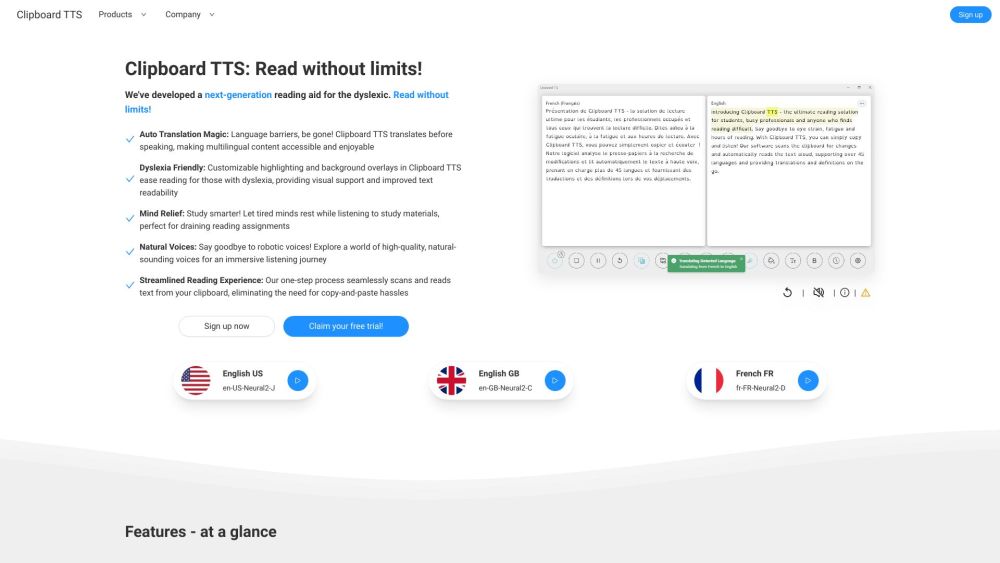
Clipboard TTS is a next-generation text-to-speech reading aid designed for individuals with dyslexia, busy professionals, or anyone facing reading challenges. It seamlessly reads any text on the web with high-quality voices, offering features like streamlined reading, natural voices, dyslexia-friendly customization, auto-translation, and more.
How to Use
Clipboard TTS automatically detects changes in your clipboard and reads the text aloud. Simply copy the text you want to hear, and the app will handle the rest. It also supports image-to-text conversion and auto-dictionary lookups.
Core Features
Text-to-speech conversion Auto Dictionary Image-to-text conversion Auto Translation Font Customization Highlighting Overlays BoldCue Substitutions History AI Assist
Use Cases
- 1 Assisting dyslexic students with reading assignments
- 2 Helping busy professionals consume written content while multitasking
- 3 Improving vocabulary through automatic dictionary definitions
- 4 Making multilingual content accessible via auto-translation
- 5 Providing visual support for individuals with reading difficulties
Frequently Asked Questions
How can I send feedback, request a feature, or report a bug?
You can contact the developer through the app's support channels, such as email or the app store listing.
What is the purpose of Clipboard TTS?
Clipboard TTS reads any copied text aloud with text-to-speech, making reading easier for people with dyslexia and anyone who prefers listening.
What is the difference between Clipboard TTS and other text-to-speech software?
Clipboard TTS reads whatever is copied to your clipboard instantly, and adds dyslexia-friendly features and auto-translation that other TTS tools often lack.
What are the use cases of Clipboard TTS?
It is great for reading articles, messages, documents, and web content aloud, especially for accessibility or multitasking.
Can Clipboard TTS read in multiple languages?
Yes, Clipboard TTS can read text in multiple languages and can auto-translate text as well.
Does Clipboard TTS need internet access?
Core text-to-speech works offline, though features like translation and some voices may require an internet connection.
Quick Info
- Category
- Voice Generation & Conversion
- Subcategory
- AI Text-to-Speech
- Added on
- Dec 15 2023
- Monthly Visits
- --
- Rating
- 5.0 / 5.0





