AI Disturbance Overlay
Protects digital art from AI replication using unique AI textures and filters.
Screenshots
Overview
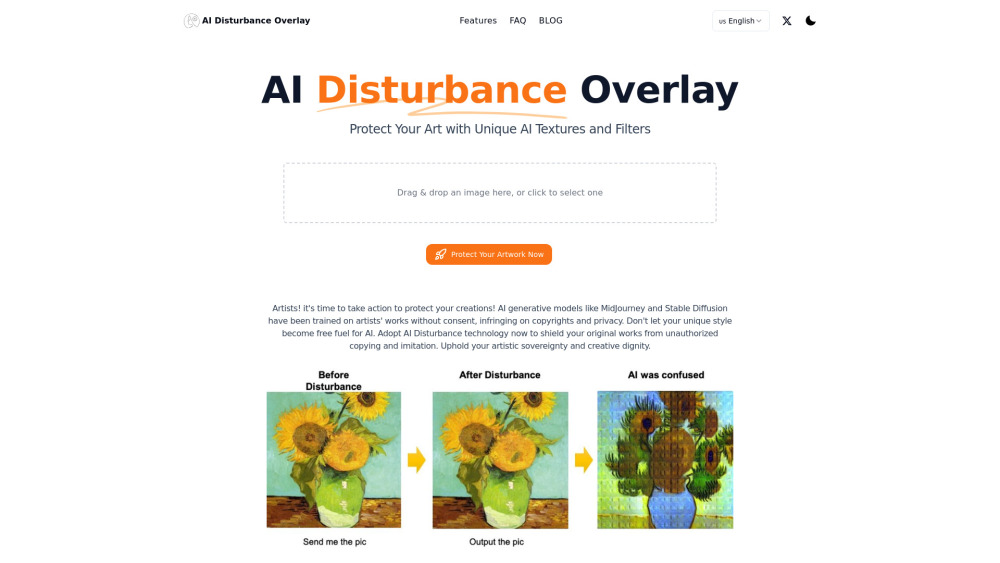
AI Disturbance Overlay is a digital protection tool that helps artists safeguard their original work against unauthorized AI replication. It applies unique, subtle textures and filters to images that interfere with AI training models while remaining visually unobtrusive to human viewers. This helps creators maintain ownership of their visual identity and reduces the risk of their artwork being scraped for machine learning datasets. The tool is designed for digital artists, illustrators, and photographers who share work online and want to retain control over how their creations are used. It offers a practical, proactive step toward preserving artistic authenticity in the age of generative AI.
How to Use
Apply the AI Disturbance Overlay to your digital art by uploading the image. The tool adds unique textures and filters designed to disrupt AI replication, then you download the protected version.
Core Features
Use Cases
- 1 Protecting original artwork from being copied or imitated by AI generative models like MidJourney and Stable Diffusion.
Frequently Asked Questions
How do I use AI Disturbance?
Is AI Disturbance effective against all AI models?
If I already have many original artworks online, is AI Disturbance still useful?
Can AI Disturbance be resisted by taking a screenshot of the artwork?
Can I apply filters, compression, or blurring to the image to destroy AI Disturbance protection?
Has AI Disturbance been cracked or bypassed?
Does AI Disturbance offer different levels of protection?
If I encounter problems, does AI Disturbance provide customer support?
Quick Info
- Category
- Image Generation & Editing
- Subcategory
- AI Texture Generator
- Added on
- Sep 11 2024
- Monthly Visits
- --
- Rating
- 5.0 / 5.0