Google Meet
Google Meet is a video conferencing service for business and enterprise use.
Screenshots
Overview
Google Meet is a widely used video conferencing service designed to meet the communication needs of businesses and enterprises. It offers a secure, reliable platform for hosting virtual meetings, webinars, and collaborative sessions with high-quality video and audio. With features like screen sharing and real-time captions, it supports teams in staying connected and productive. This tool is essential for remote organizations, educational institutions, and any group needing dependable video communication.
How to Use
Create a meeting link in Google Meet, share it with participants, and join via browser or mobile app. Use in-call controls for video, chat, and screen sharing, then rely on built-in transcription for collaboration.
Core Features
Use Cases
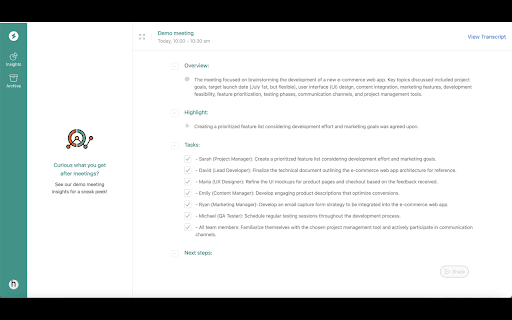
- 1 Capture insights and action items from Google Meet calls with real-time transcriptions and intelligent analysis.
Frequently Asked Questions
Do I need a Google account to use Google Meet?
Does Google Meet offer real-time transcriptions?
Can Google Meet analyze the content of my meetings?
Quick Info
- Category
- Voice Generation & Conversion
- Subcategory
- AI Transcriber
- Rating
- 5.0 / 5.0



