Leiga Recording
AI-powered video recording and project management tool for enhanced team collaboration.
Screenshots
Overview
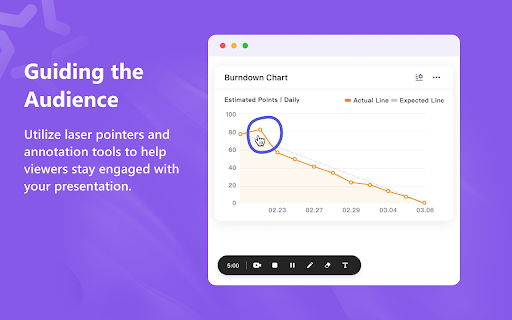
Leiga Recording combines robust video recording capabilities with integrated project management features. It focuses on boosting team collaboration by allowing members to share recorded updates, walkthroughs, and feedback directly within a project pipeline. This platform is an excellent choice for remote teams and agile developers who want to reduce the need for lengthy meetings while keeping a clear, documented trail of project progress through visual communication.
How to Use
Use Leiga to record video messages or screen captures for your team, then attach them directly to project tasks. The AI helps transcribe and summarize the recordings, making it easy to review decisions, updates, or feedback within the project timeline.
Core Features
Use Cases
- 1 Replace meetings with asynchronous video recordings for clarifications and demonstrations.
- 2 Present slides via Leiga recordings before meetings to provide context and improve discussion efficiency.
- 3 Create and share tutorials or training materials.
- 4 Provide feedback on designs or documents.
- 5 Report bugs or issues with software.
Frequently Asked Questions
What can I record with Leiga?
How does Leiga enhance work efficiency?
How do I share videos with my team?
Quick Info
- Category
- Voice Generation & Conversion
- Subcategory
- AI Transcription
- Rating
- 5.0 / 5.0