RED
Smart, floating AI assistant combining screen analysis, transcription, and automation in real-time.
Screenshots
Overview
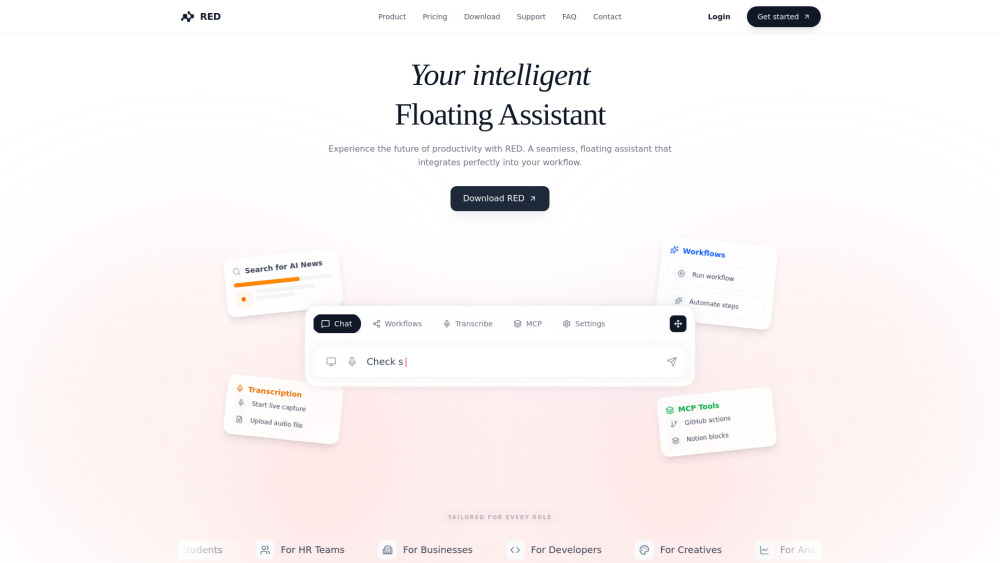
RED is a smart, floating AI hub that deeply integrates into your workflow, combining screen analysis, real-time transcription, and automation capabilities. It helps users think, organize, and act in real-time without needing screenshots or context switching, leveraging Deep Context (MCP) to securely connect to local systems, documents, and databases. It is primarily built for founders, analysts, students, and knowledge workers.
How to Use
RED integrates into the operating system as a seamless, floating assistant. Users interact via chat, workflows, and transcription tools. It uses Screen Context to understand visible windows/apps, executes Automated Workflows via single commands, and uses Live Transcription to capture and summarize meetings.
Core Features
Use Cases
- 1 Automate routine tasks using tailored workflows, such as generating daily news reports or summarizing text.
- 2 Capture and summarize meetings in real-time, allowing users to focus on the conversation.
- 3 Perform coding tasks like reviewing PRs, generating scaffolding, or refactoring code based on local repository context.
- 4 Manage files, documents, and communications directly through the chat interface using integrations like Google Drive, Slack, and Notion.
Frequently Asked Questions
How does RED integrate with my existing tools?
Is my data private?
Can I use RED for coding?
Does it work on Windows and Linux?
Quick Info
- Category
- Voice Generation & Conversion
- Subcategory
- AI Transcription
- Added on
- Jan 30 2026
- Monthly Visits
- --
- Rating
- 5.0 / 5.0