Meeper
Open-source browser extension for meeting transcriptions and summaries using AI.
Screenshots
Overview
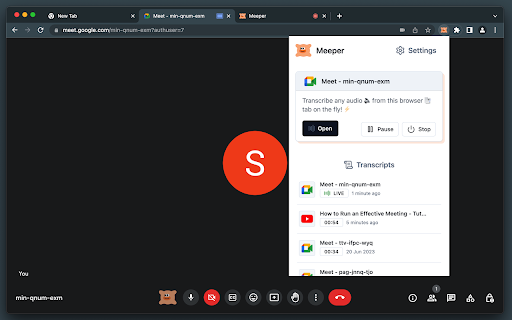
Meeper is an open-source browser extension that brings AI-driven meeting transcriptions and summaries to your web browser. Built for privacy-conscious users and developers, it lets you record and capture conversations from online meetings, then automatically generate key summaries and action points. Being open-source means you can review the code, customize it, or even contribute improvements, making it a flexible choice for tech-savvy teams. Meeper aims to make meeting documentation accessible and transparent, giving you a lightweight tool to keep your calls productive and well-organized.
How to Use
Install Meeper in your browser, then join any meeting. Click the extension to start recording; after the meeting, view the AI-generated transcript and summary from the popup interface.
Core Features
Use Cases
- 1 Transcribing and summarizing online meetings
- 2 Creating meeting minutes
- 3 Analyzing meeting content
- 4 Generating summaries of online lectures or webinars
- 5 Providing accessibility for hearing-impaired individuals
Frequently Asked Questions
Meeper is an open-source browser extension that transcribes and summarizes meetings using AI. Your OpenAI API key stays secure on your device, API usage is optimized to save tokens, and transcription is supported in multiple languages.
Quick Info
- Category
- Voice Generation & Conversion
- Subcategory
- AI Transcription
- Rating
- 5.0 / 5.0



