Voice Notebook
Voice Notebook: voice-to-text, audio conversion, and simultaneous translation.
Screenshots
Overview
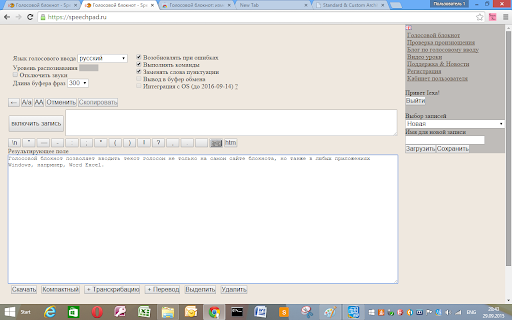
Voice Notebook is a versatile voice-to-text tool that goes beyond basic dictation. It converts spoken words into written notes, handles audio file transcription, and offers simultaneous translation—letting users listen to or read content across languages in real time. This makes it ideal for journalists, students, travelers, and multilingual professionals who need quick, accurate conversion of audio into text, or who want to break down language barriers during interviews and conversations. It simplifies capturing ideas and information from virtually any spoken source.
How to Use
Open Voice Notebook and start speaking to capture your thoughts as text. You can also upload audio files to convert them to text, or use the simultaneous translation feature to translate conversations on the fly. The tool processes your voice input and outputs the desired format.
Core Features
Use Cases
- 1 Dictating documents and emails
- 2 Transcribing interviews and lectures
- 3 Real-time translation during conversations
- 4 Controlling Windows applications with voice commands
Frequently Asked Questions
What are the main functions of Voice Notebook?
What is required to use all the features of Voice Notebook?
Quick Info
- Category
- Voice Generation & Conversion
- Subcategory
- AI Transcription
- Rating
- 5.0 / 5.0