Ekai
Ekai enhances workplace collaboration by automating responses and adding focus hours.
5.0
Rating
Screenshots
Overview
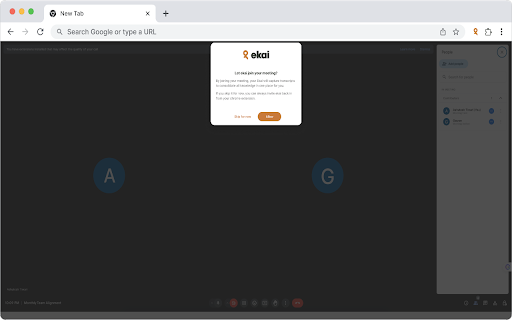
Ekai is a workplace collaboration tool designed to enhance focus and reduce query resolution time. It automates responses on your behalf using information you provide, adds focus hours to your day, and integrates with platforms like Google Meet and Slack.
How to Use
Add Ekai to your Google Meet to capture discussions and generate transcripts. Then, add the meeting transcript to Ekai and ask questions about the meeting on Slack.
Core Features
Automated meeting bot Meeting transcript analysis Slack integration for Q&A Meeting history tracking
Use Cases
- 1 Automating responses to common questions
- 2 Quickly retrieving information from meeting transcripts
- 3 Tracking the history of ongoing and past meetings
Frequently Asked Questions
Q:What does Ekai do? A:Ekai automates meeting responses, schedules focus hours, and streamlines team collaboration in the workplace. It reduces administrative overhead so employees can concentrate on deep work. Q:How does Ekai work with Google Meet? A:Ekai integrates directly with Google Meet to capture discussions, generate summaries, and suggest follow-up actions in real time. This keeps teams aligned without manual note-taking. Q:How can I ask questions about a meeting? A:After a meeting ends, you can query Ekai about what was said, decisions made, or action items assigned. The AI retrieves answers from the meeting transcript instantly.
For details, please visit the official website of Ekai.
Quick Info
- Category
- Voice Generation & Conversion
- Subcategory
- AI Transcription
- Rating
- 5.0 / 5.0