Spinach AI
AI meeting assistant for summaries and automation.
5.0
Rating
100.0K
Visits/mo
Screenshots
Overview
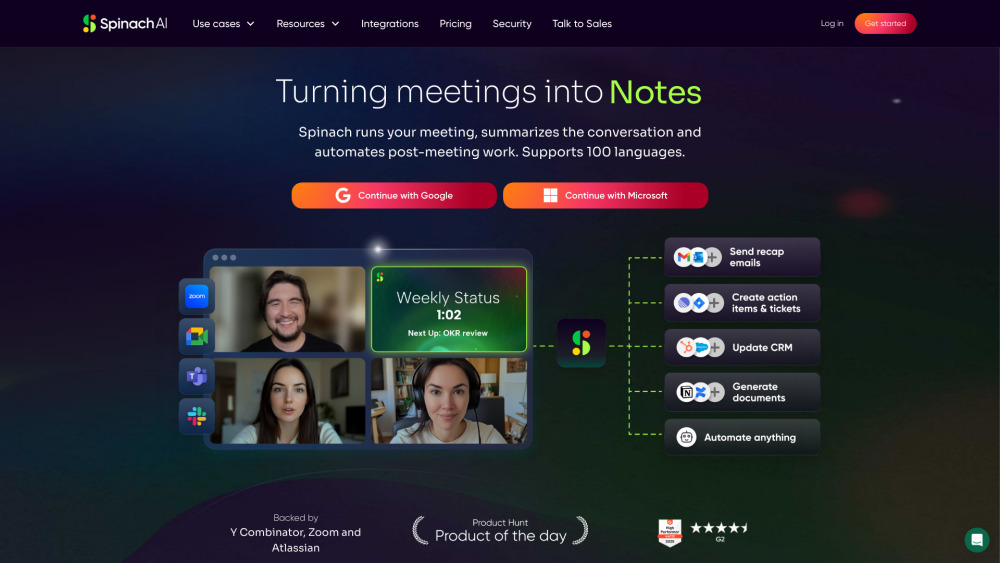
Spinach AI is an AI meeting assistant that helps run meetings, summarizes conversations, and automates post-meeting tasks. It integrates with existing tools and supports 100 languages, turning meetings into results, notes, actions, and insights.
How to Use
Spinach AI connects to your calendar, joins your meetings, and shares notes and action items in your project management tool and CRM. It records and transcribes meetings, providing concise, actionable summaries.
Core Features
Meeting recording and transcription AI-powered meeting summaries Integration with popular tools (CRM, project management) AI Agents for task automation
Use Cases
- 1 Product Management: Capture user feedback, decisions, and action items.
- 2 Engineering: Simplify technical meetings, track progress.
- 3 Project Management: Complete project visibility, track progress and risks.
- 4 Marketing: Fuel creativity and collaboration, capture ideas.
- 5 Customer Success: Enhance client communication, streamline workflows.
- 6 Sales: Close deals faster with buyer insights.
- 7 HR: Improve hiring, onboarding, and engagement.
- 8 Recruiting: Find and hire top talent faster.
- 9 Finance & Accounting: Ensure accuracy and compliance.
- 10 Legal & Compliance: Mitigate risk with meeting records.
- 11 Agencies & Consultants: Maximize billable hours.
- 12 VCs: Capture pitch details, streamline due diligence.
Frequently Asked Questions
What does Spinach AI do?
Spinach AI is an AI meeting assistant that joins your meetings, takes notes, and automates summaries, action items, and follow-ups. It helps teams stay aligned without manual note-taking.
What tools does Spinach AI work with?
Spinach AI integrates with common work tools such as Slack, Jira, and other project management platforms. Check the integrations page for the full list.
How does Spinach AI help with customer problems?
It automates meeting documentation and follow-ups so support and customer-facing teams can focus on solving problems instead of taking notes. Action items from customer meetings are captured and tracked automatically.
Quick Info
- Category
- Voice Generation & Conversion
- Subcategory
- AI Transcription
- Added on
- Apr 21 2025
- Monthly Visits
- 100.0K
- Rating
- 5.0 / 5.0



