CurseCut
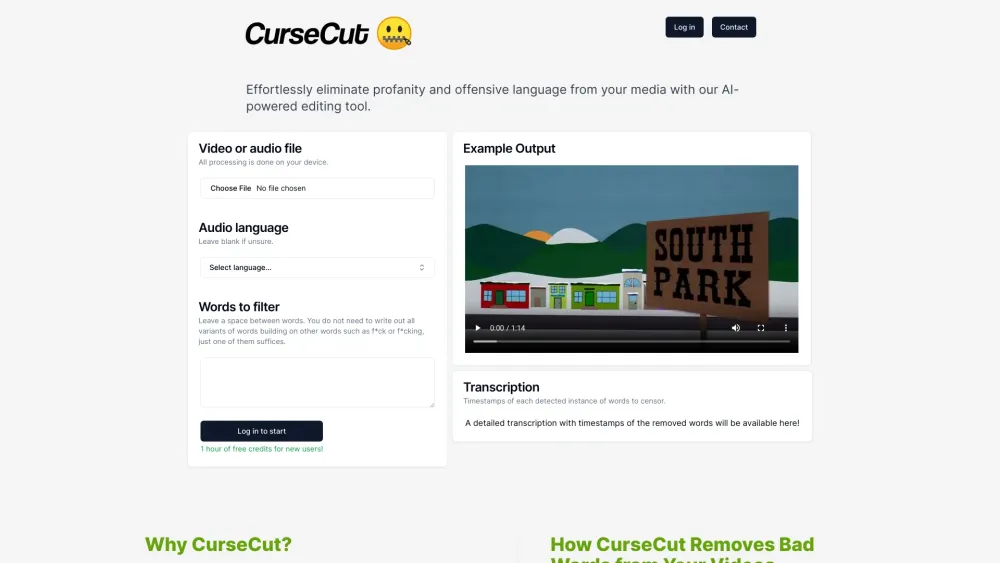
AI-powered tool to remove profanity from audio and video files.
Screenshots
Overview
CurseCut is a specialized AI-powered tool designed to automatically detect and remove profanity from both audio and video files. This is a lifesaver for podcasters, YouTubers, and content editors who want to keep their output family-friendly or advertiser-safe without spending hours manually scrubbing timelines. The tool analyzes the audio waveform, identifies swear words, and either mutes or replaces them seamlessly, preserving the natural flow of the conversation. With CurseCut, cleaning up sensitive content becomes a one-click task, helping creators maintain brand safety and broaden their audience reach with minimal effort and maximum accuracy.
How to Use
Upload your audio or video file to CurseCut and let the AI scan for profanity. Review detected words and choose to mute, beep, or replace them automatically. Process the file, preview the cleaned result, then download the edited version.
Core Features
Use Cases
- 1 Creating child-friendly edits of movies, shows, and podcasts
- 2 Polishing workplace videos and training materials
- 3 Preparing live streams and broadcast content
- 4 Filtering explicit language from YouTube videos
- 5 Ensuring compliance with platform/network policies
Frequently Asked Questions
How does CurseCut ensure data security?
What file formats does CurseCut support?
How accurate is CurseCut's profanity detection?
Does CurseCut support multiple languages?
Quick Info
- Category
- Music & Audio
- Subcategory
- AI Vocal Remover
- Added on
- Jun 13 2024
- Monthly Visits
- 14.8K
- Rating
- 5.0 / 5.0