Online Audio Converter
A free online app to convert audio files to various formats and extract audio from video.
Screenshots
Overview
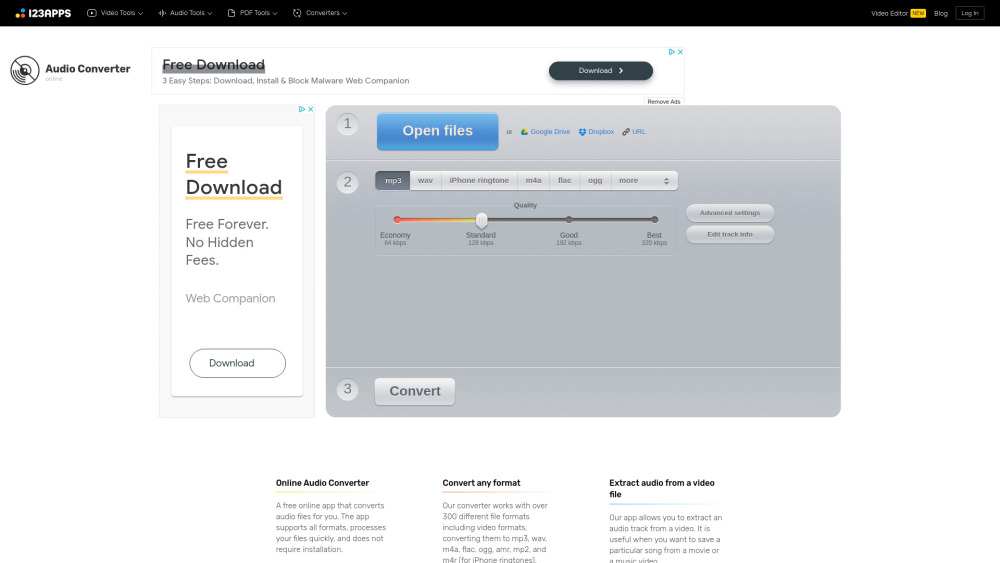
Online Audio Converter is a free, web-based tool that simplifies audio file management. Users can convert audio files between various formats, adjust bitrate and quality, and even extract audio tracks from video files—all without installing software. Its straightforward interface makes it accessible to anyone, from casual users ripping music to podcasters and video editors preparing sound assets. Being entirely browser-based means it works across devices, and its free model makes it a go-to resource for quick, reliable audio conversions on the go.
How to Use
On the website, upload an audio file or video containing audio. Choose the desired output format from the list, then start the conversion. Once processed, download the converted file to your device. The tool handles format changes and audio extraction from video sources.
Core Features
Use Cases
- 1 Convert music files to different formats for compatibility.
- 2 Extract audio from a movie or music video.
- 3 Prepare audio files for use as iPhone ringtones.
- 4 Adjust audio quality and settings for specific devices or applications.
Frequently Asked Questions
Online Audio Converter is a free web app for converting audio files between formats and extracting sound from video. It offers advanced MP3 settings and explains the differences between audio formats.
Quick Info
- Category
- Music & Audio
- Subcategory
- AI Vocal Remover
- Added on
- Apr 10 2025
- Monthly Visits
- 3.7M
- Rating
- 5.0 / 5.0
- Saved
- 2





