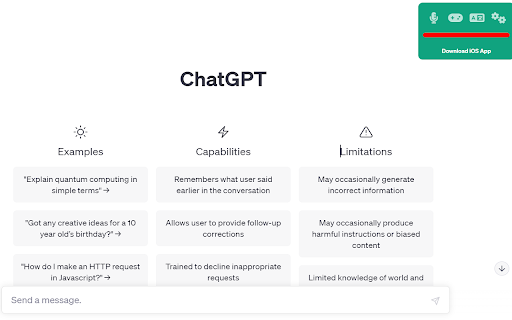
ChatGPT Voice Plus Game and Translation
Chrome extension for voice interaction, games, and translation with ChatGPT.
Screenshots
Overview
ChatGPT Voice Plus Game and Translation is a Chrome extension that expands ChatGPT beyond text by adding three interactive layers: voice interaction, built-in games, and translation capabilities. It lets users speak to ChatGPT for hands-free conversations, play simple games for entertainment or relaxation, and translate text or phrases on the fly. This extension is aimed at users who want a versatile AI companion that serves both productivity and play, making ChatGPT a more engaging and multi-purpose tool in their browser.
How to Use
Add the extension to Chrome and open ChatGPT. Use voice commands to dictate prompts, then switch to the built-in game mode for interactive entertainment or use the translation feature to convert your spoken words into different languages. Toggle between modes via the extension popup for seamless control.
Core Features
Use Cases
- 1 Engaging in hands-free conversations with ChatGPT
- 2 Playing games with ChatGPT for entertainment
- 3 Translating text into different languages within ChatGPT
Frequently Asked Questions
Q: How do I get started with ChatGPT Voice Plus Game and Translation? A: Install the Chrome extension and you can immediately use voice interaction, games, and translation with ChatGPT. If OpenAI changes the ChatGPT page structure, the extension updates to stay compatible.
Quick Info
- Category
- Voice Generation & Conversion
- Subcategory
- AI Voice Assistants
- Rating
- 5.0 / 5.0





