Screenshots
Overview
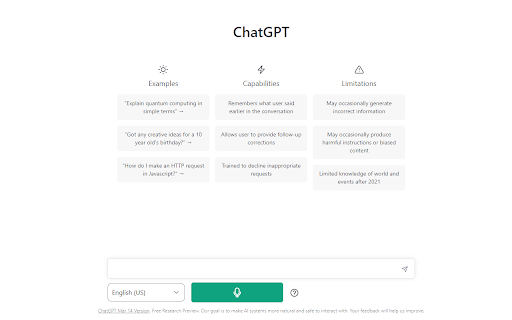
Voiceboost is a Chrome extension that allows users to interact with ChatGPT using voice control. It adds a button under the input area that, when clicked, captures the user's spoken question and sends it to ChatGPT for a response. This provides a hands-free alternative to typing.
How to Use
Click the button added by the extension under the input area to record your voice input. Alternatively, use the keyboard shortcuts: Ctrl+Shift+S (Windows) or Command+Shift+S (Mac) to start recording, and Ctrl+Shift+E (Windows) or Command+Shift+E (Mac) to stop and submit. Ensure microphone permissions are granted when prompted.
Core Features
Voice input for ChatGPT Keyboard shortcuts for voice capture and submission
Use Cases
- 1 Hands-free interaction with ChatGPT
- 2 Dictating questions and prompts to ChatGPT
Frequently Asked Questions
How do I start recording my voice?
Open the Voiceboost Chrome extension and click the record button to begin capturing your voice input.
How do I stop recording and submit my voice input?
Click the stop button and the extension will transcribe and submit your voice input to ChatGPT automatically.
Do I need to grant microphone permissions?
Yes, you need to grant microphone access in Chrome for Voiceboost to capture your voice.
Quick Info
- Category
- Voice Generation & Conversion
- Subcategory
- AI Voice Assistants
- Rating
- 5.0 / 5.0