ChatGPT Voice Master
Voice plugin for ChatGPT enhancing communication with high recognition and multi-language support.
Screenshots
Overview
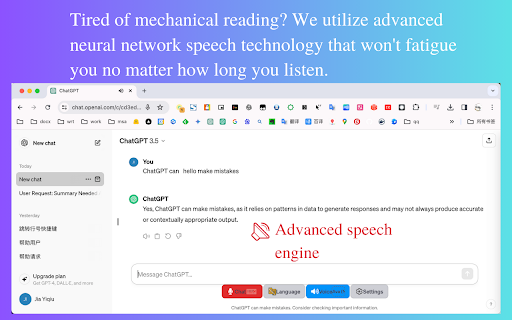
ChatGPT Voice Master is a plugin that enhances how you communicate with ChatGPT by adding advanced voice capabilities. It focuses on high recognition accuracy and supports multiple languages, making it a solid tool for users who need reliable voice input and output in different contexts. Whether you're dictating prompts in noisy environments, working in a non-native language, or simply want a smoother hands-free interaction, this plugin aims to reduce friction and boost usability. For those who depend on ChatGPT for daily tasks and want a more robust voice experience, this tool delivers a versatile upgrade.
How to Use
Install the ChatGPT Voice Master plugin and configure your preferred language settings. Use voice commands to interact with ChatGPT, benefiting from high speech recognition accuracy. It supports multiple languages for broader conversational use.
Core Features
Use Cases
- 1 Efficiently interact with chatbots using voice commands
- 2 Translate chatbot replies to your native language automatically
- 3 Quickly search historical chat records
- 4 Enhance work efficiency with voice input and sidebar features
Frequently Asked Questions
Is ChatGPT Voice Master free to use?
What languages does ChatGPT Voice Master support?
How do I wake up the voice assistant?
How do I purchase more coins?
Quick Info
- Category
- Voice Generation & Conversion
- Subcategory
- AI Voice Assistants
- Rating
- 5.0 / 5.0





