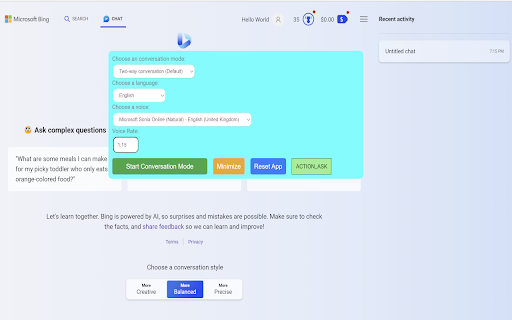
Bing AI Voice Extension
Voice interaction extension for Bing AI, enabling voice-based questions and responses.
Screenshots
Overview
The Bing AI Voice Extension adds a voice layer to Bing's AI chatbot, allowing you to ask questions and receive spoken responses instead of relying purely on typed text. It's a straightforward way to make your search-based conversations more natural and accessible, especially for hands-free situations like driving, cooking, or multitasking. The extension integrates directly into your browser, so you can keep chatting with Bing AI and simply talk instead of type. For anyone who wants a more conversational way to interact with their search assistant, this tool delivers an easy voice-powered upgrade.
How to Use
Install the Bing AI Voice Extension in your browser, then enable your microphone. Ask questions verbally and the extension converts your speech to text for Bing AI. It reads responses aloud, creating a hands-free search experience.
Core Features
Use Cases
- 1 Hands-free information retrieval
- 2 Voice-based discussions with Bing AI
- 3 Learning and exploring topics through voice interaction
Frequently Asked Questions
How does the extension handle different languages?
Quick Info
- Category
- Voice Generation & Conversion
- Subcategory
- AI Voice Assistants
- Rating
- 5.0 / 5.0





