OpenAI Text To Speech WebUI
A free web UI using OpenAI API to convert text to speech.
Screenshots
Overview
OpenAI Text To Speech WebUI is a free, browser-based interface that taps into the OpenAI API to convert text into spoken audio. It provides an accessible entry point for anyone curious about AI voice generation without needing to code or pay upfront. Users can paste text, pick a voice, and generate speech instantly, making it a handy tool for rapid prototyping, quick narration tests, or personal use. While it leverages OpenAI's powerful engine, the interface keeps things simple—ideal for developers validating ideas or creators experimenting with voice content.
How to Use
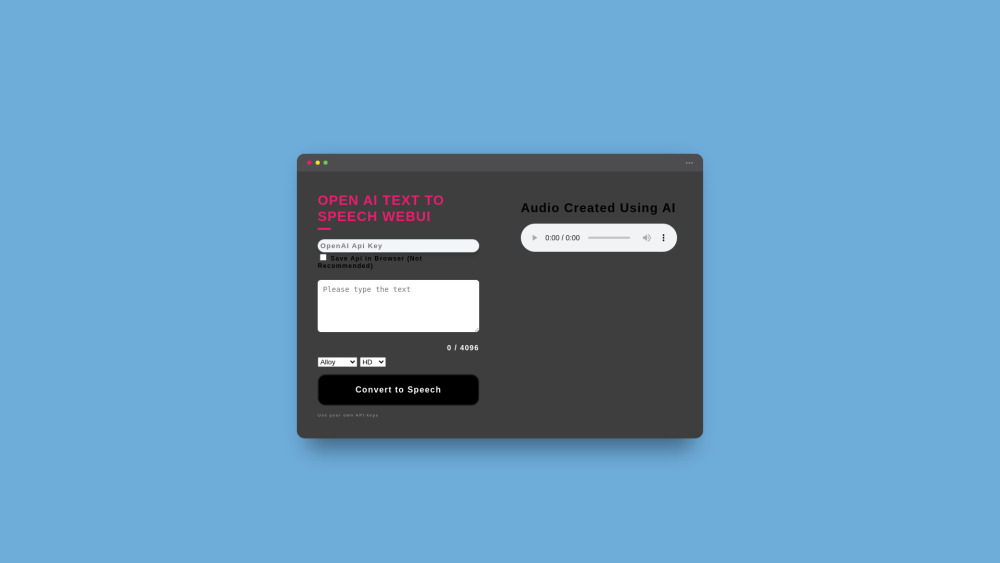
Open the web interface and enter your OpenAI API key. Type or paste your text, choose a voice and model, then click to generate and play or download your audio file directly from the browser.
Core Features
Use Cases
- 1 Creating audio for product videos
- 2 Generating speech for accessibility purposes
- 3 Developing voiceovers for presentations
- 4 Producing audio content in multiple languages
Frequently Asked Questions
OpenAI Text To Speech WebUI is a free web interface that converts text to speech using the OpenAI API — you only pay for the API usage with your own OpenAI API key. It supports multiple languages and voices.
Quick Info
- Category
- Voice Generation & Conversion
- Subcategory
- AI Voice Generator
- Added on
- Aug 01 2024
- Monthly Visits
- 11.6K
- Rating
- 5.0 / 5.0