OpenAI Text To Speech WebUI
A free web UI using OpenAI API to convert text to speech.
5.0
Rating
11.6K
Visits/mo
Screenshots
Overview
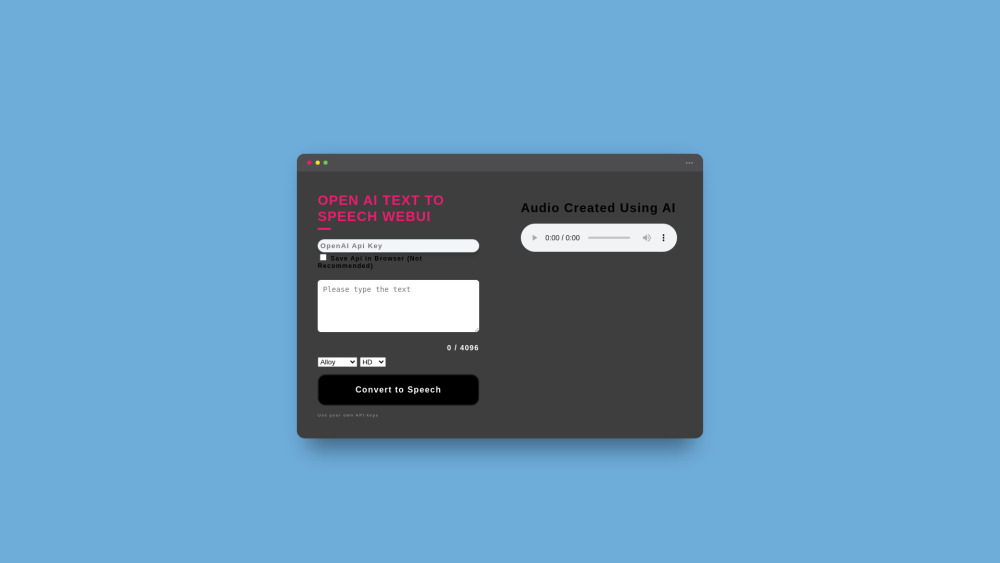
OpenAI Text To Speech WebUI is a web application that utilizes the OpenAI API to convert text into speech. It is designed as a free frontend for OpenAI's TTS service, requiring users to provide their own API key. The application supports a wide range of languages and offers various voice options for generating realistic-sounding speech.
How to Use
To use the OpenAI Text To Speech WebUI, you need to obtain an API key from the OpenAI Platform. Then, paste your API key into the designated field on the website. Enter the text you want to convert to speech, select your preferred voice and settings, and click the 'Convert to Speech' button. The generated audio can then be played or downloaded.
Core Features
Text-to-speech conversion using OpenAI API Support for multiple languages Voice selection (Alloy, Echo, Fable, Onyx, Nova, Shimmer) Option to save API key in browser (not recommended) Adjustable audio quality (High, HD)
Use Cases
- 1 Creating audio for product videos
- 2 Generating speech for accessibility purposes
- 3 Developing voiceovers for presentations
- 4 Producing audio content in multiple languages
Frequently Asked Questions
OpenAI Text To Speech WebUI is a free web interface that converts text to speech using the OpenAI API — you only pay for the API usage with your own OpenAI API key. It supports multiple languages and voices.
For details, please visit the official website of OpenAI Text To Speech WebUI.
Quick Info
- Category
- Voice Generation & Conversion
- Subcategory
- AI Voice Generator
- Added on
- Aug 01 2024
- Monthly Visits
- 11.6K
- Rating
- 5.0 / 5.0