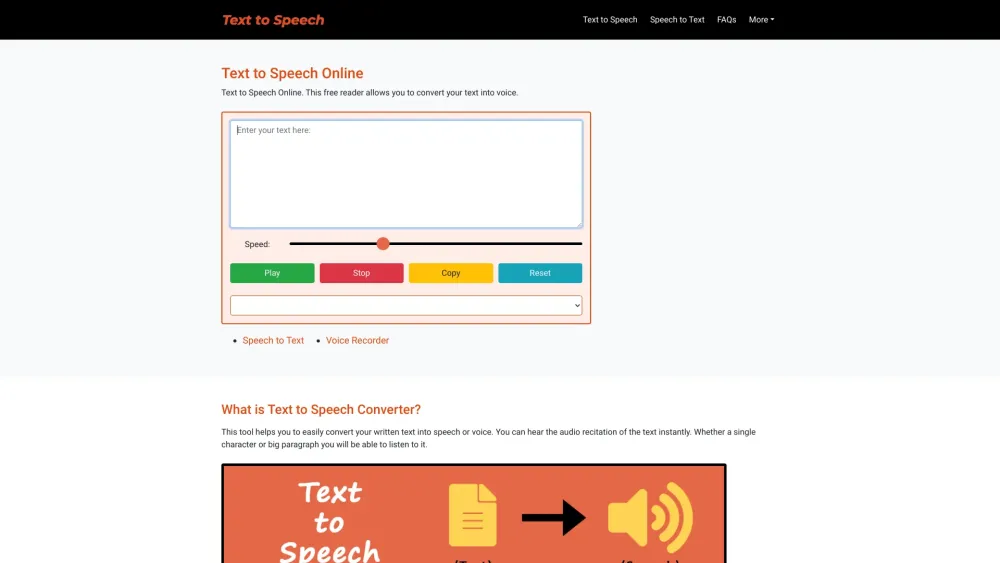
Free Text to Speech Online
Free online text-to-speech converter with natural-sounding voices and no restrictions.
Screenshots
Overview
Free Text to Speech Online is a free reader and text-to-voice converter that allows you to convert your text into a natural-sounding voice. It uses a speech synthesizing technique to convert written text into realistic speech. The tool supports various languages and genders, offering options to choose the voice's accent. It is designed to be easy to use, requiring no login or signup, and is compatible with most web browsers and mobile devices.
How to Use
To use the Text to Speech Converter, enter or paste your text into the input box, select the desired speed using the slider, choose the language and gender from the dropdown option, and click the 'Play' button to start the conversion. You can pause/resume or stop the speech conversion anytime.
Core Features
Use Cases
- 1 Alternative to reading for those who prefer listening
- 2 Learning proper pronunciation of words in different accents
- 3 Assisting visually impaired persons with reading
- 4 Decreasing linguistic dialect barriers
- 5 Creating natural voiceovers for videos
Frequently Asked Questions
What is the Text to Speech Online tool?
Is there a word limit or restrictions on the text I can convert?
Do I need to log in or sign up to use the tool?
Which browsers are compatible with the tool?
Quick Info
- Category
- Voice Generation & Conversion
- Subcategory
- AI Voice Over
- Added on
- Mar 10 2024
- Monthly Visits
- --
- Rating
- 5.0 / 5.0





