AI Flowchart Generator
AI tool converting text and images into professional, editable flowcharts instantly.
Screenshots
Overview
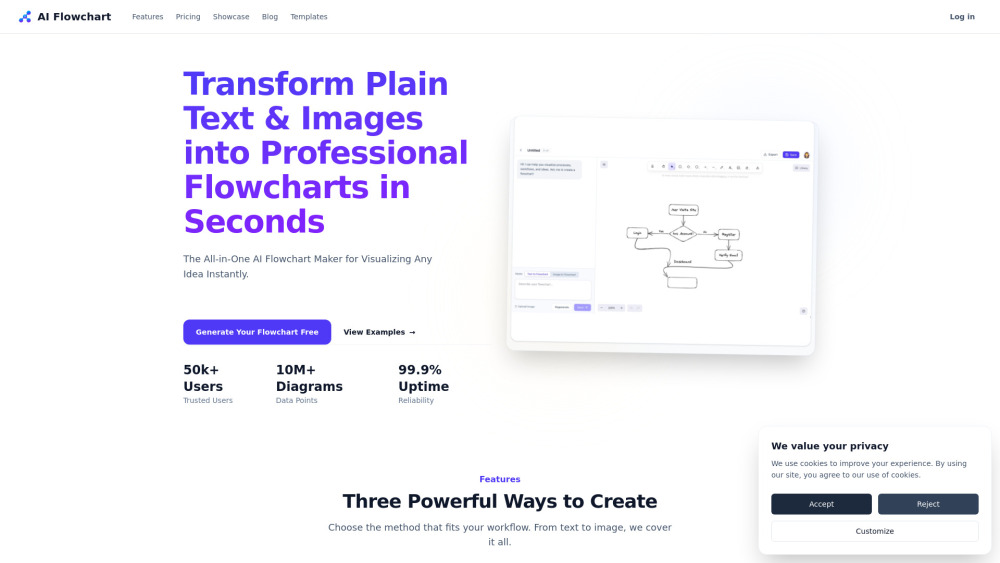
The AI Flowchart Generator transforms plain text descriptions and even images into clean, professional flowcharts within seconds. Instead of manually dragging boxes and arrows, you simply type a process, algorithm, or decision tree in natural language, and the AI interprets the logic and renders a structured diagram. You can also upload an existing image or screenshot of a rough sketch, and it will convert that visual into a fully editable digital flowchart. The tool is designed to save time for project managers, developers, educators, and business analysts who need clear visual documentation. Outputs are editable, meaning you can tweak node labels, reorder steps, adjust styling, and export to various formats without leaving the interface. Whether you’re mapping out a hiring process, code architecture, or marketing funnel, this generator aims to remove the friction of manual diagramming.
How to Use
Start by pasting your process description into the text box or uploading an image of your sketch. The AI will analyze it and generate a flowchart automatically. Afterward, use the drag-and-drop editor to fine-tune nodes, connectors, and labels before exporting as PNG, SVG, or PDF.
Core Features
Use Cases
- 1 Mapping out user registration journeys and onboarding flows.
- 2 Visualizing complex business logic, pricing rules, and decision trees.
- 3 Converting meeting notes and whiteboard sketches into digital documentation.
- 4 Updating legacy architecture diagrams from old screenshots.
- 5 Tracking recruitment pipelines and organizational structures.
Frequently Asked Questions
How do I create a flowchart from a text description?
Can I upload an existing image to convert into a flowchart?
Is the generated flowchart editable after creation?
Quick Info
- Category
- Image Generation & Editing
- Subcategory
- Text to Image
- Added on
- Mar 20 2026
- Monthly Visits
- --
- Rating
- 5.0 / 5.0
- Saved
- 1





